In short
LongCat Video Avatar 1.6 turns one still and a speech file into a lip-synced clip, with MIT weights. Core ComfyUI support (PR #17831) is still open, so today's route is the community pack ComfyUI-LongCat-Avatar: int8 model, two LoRAs, 8 steps at CFG 1, 93-frame segments. Its author reports about 162 s for 10 s of 768x512 video on an RTX 4090. The Comfy-Org files total 25.72 GB. Feed it clean speech, not music.
A character who only poses is half a feed. The moment she has to say a line in your recorded voice, most open video models stop helping: they invent their own sound or none at all. LongCat Video Avatar 1.6 takes one still, a prompt and a speech file and returns a clip that follows the audio, and its model card puts the weights under the MIT License.
As of 20 November 2026 there is no ComfyUI template for it. Comfy-Org published repackaged files on 18 November, Kijai's core pull request is open and unmerged, and a community node pack is the route that works today. This guide gives the run order for that route, with every number taken from the model card, the two file listings, the pack's README and one public test. We have not rendered a clip ourselves, and the article says so wherever that matters.
What LongCat Video Avatar 1.6 is, and what its license allows
It is the audio-driven branch of Meituan's LongCat-Video. The card lists three jobs: speech and text to video, speech plus a start image to video, and continuation of an existing clip, for one or several speakers. The model repository appeared on Hugging Face on 13 November 2026, and the GitHub README dates the release 15 November. It reuses Wan 2.1's VAE and the umT5-XXL text encoder and adds a Whisper large-v3 encoder for the speech.
The card's claims for 1.6 over 1.5 are calmer mouth motion, less error build-up across continued segments so that clips can pass 10 minutes, and faster inference. Its own human study, 33,051 votes across 15 pairings of six systems, places 1.6 second with a Bradley-Terry Elo of 1068.1, behind OmniHuman-2.0 and ahead of version 1.5, HeyGen, OmniHuman-1.5 and Kling Avatar 2.0. That is the maker's arena, not an independent one, so read it as a claim.
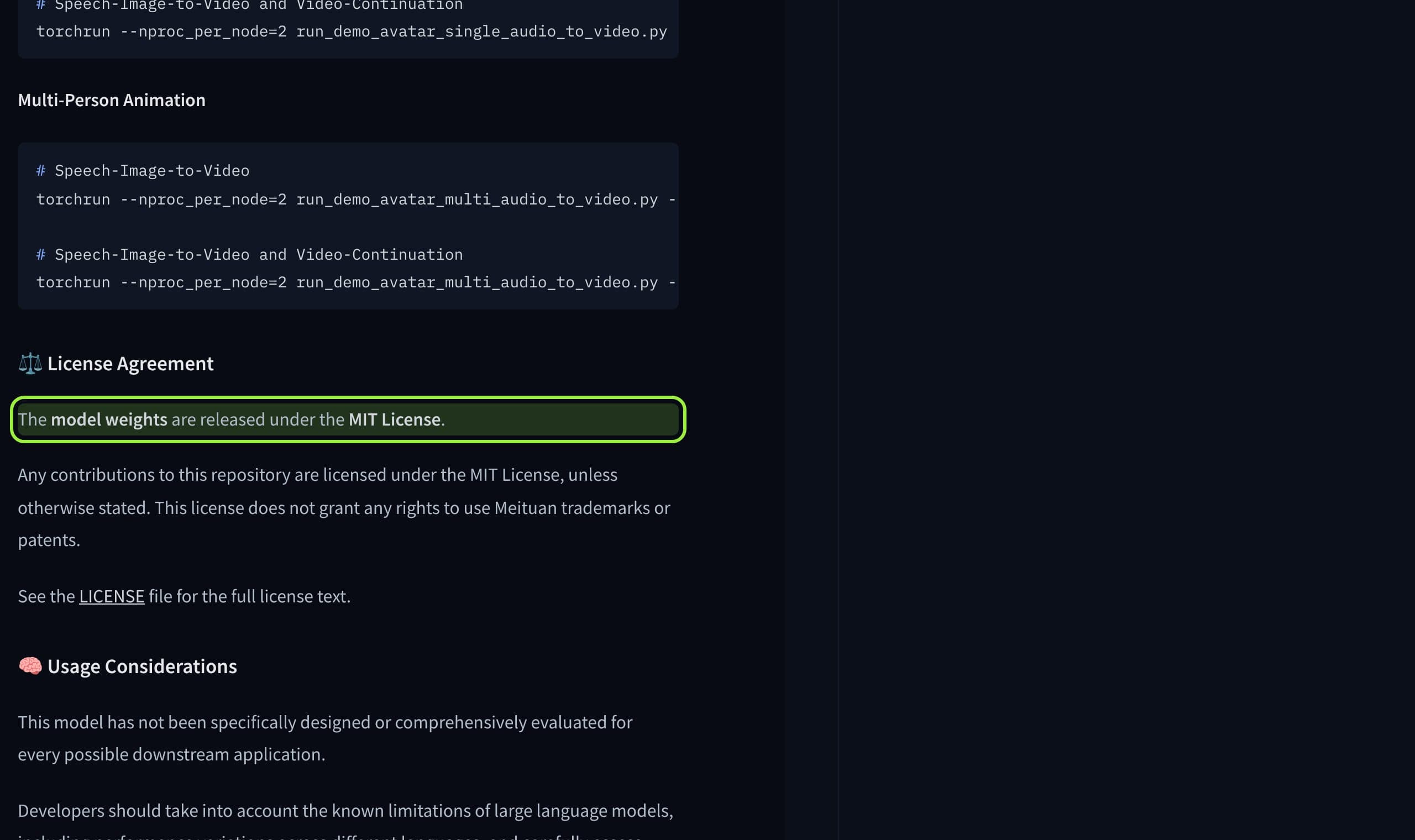
MIT matters for a monetized account. MiniMax H3 generates sound and holds a face well, but its license excludes the US, the EU, the UK and South Korea, and PAN 2 is Apache 2.0 and silent. LongCat's card adds only that the license grants no Meituan trademark or patent rights and that complying with local law is on you. A talking likeness of a real person without consent is a legal problem no license fixes; use it for a character you created.
Three ways in, and the one that works today
| Route | Status | What you get |
|---|---|---|
| Comfy-Org/LongCat-Video-Avatar | Files published 18 November, no workflow attached | Official int8 model, both LoRAs, Whisper encoder, umT5 and the Wan 2.1 VAE, named for core support |
| Core PR #17831 | Open, not merged | LongCatAvatarToVideo (one to three speakers, continuation, audio strength), LongCatCache, GetAudioDuration |
| ComfyUI-LongCat-Avatar | Installable now, GPL-3.0 code | Native nodes for the 8-step and 50-step modes, one speaker, tested on ComfyUI 0.44.0 |
The pull request was opened on 18 November and an automated review approved it on 19 November after earlier findings about speaker routing and overlap trimming; a human maintainer still has to merge it. Until then the Comfy-Org files have no stock node to load them. Building a branch of core to try it is a fair experiment and a bad idea on the install that produces your feed, for the reasons in our broken after update guide.
So the practical choice is the community pack. It installs from ComfyUI-Manager as LongCat Avatar Native or with comfy node install longcat-avatar-native, and its README says it needs no Python packages beyond ComfyUI's own. If Manager cannot find it, our missing nodes guide covers the usual causes.
The files: 25.7 GB from Comfy-Org, or 20 GB with the smallest model
We summed the Comfy-Org listing from the Hub API. The int8 diffusion model is 15.97 GB, each LoRA 1.26 GB, the Whisper encoder 1.27 GB, the int8 umT5 5.69 GB and the VAE 0.25 GB: 25.72 GB in total, or 31.39 GB with the fp16 text encoder (11.37 GB). The repository's README lists every folder except audio_encoders, where the Whisper file sits.
The pack reads its own mirror, which uses different file names and a longcat-video-avatar subfolder, and adds two smaller quantizations. Its LoRA files are 1.66 GB each against Comfy-Org's 1.26 GB, so the two sets are not the same bytes. Use the mirror with the pack and keep the Comfy-Org set for the day core support merges. The text encoder and VAE are plain Wan 2.1 files; if you followed our Wan 2.2 reels guide you already have them.
Source: Hugging Face file listing, PedroMarinhoDev/LongCat-Video-Avatar-1.6-ComfyUI, 20 November 2026
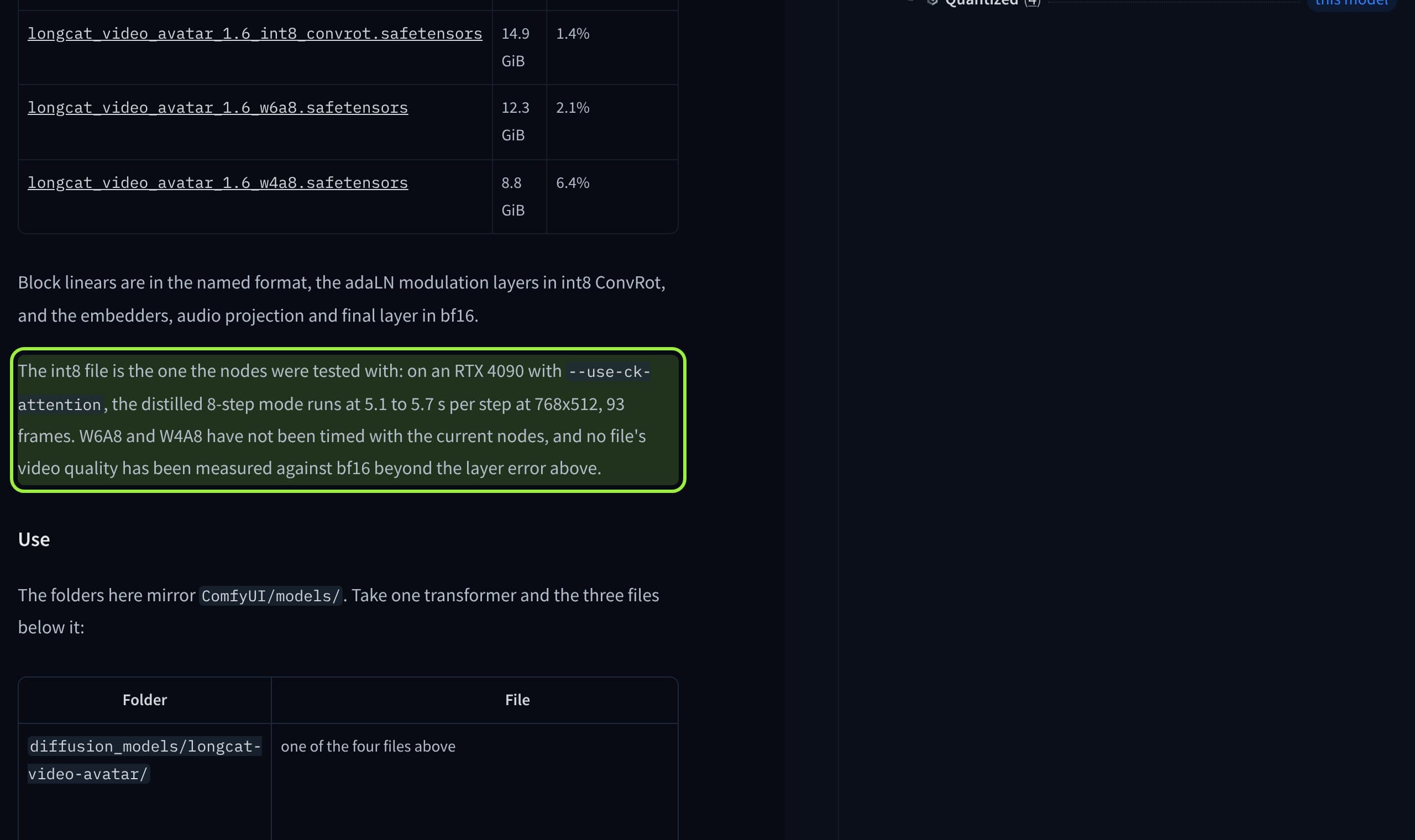
Smaller is not free. The mirror's card reports layer output error on random inputs of 1.4% for int8, 2.1% for W6A8 and 6.4% for W4A8, and states that no file's video quality has been measured against bf16 beyond that. The int8 file is the only one its author timed with the current nodes. With W4A8, both LoRAs, Whisper, the int8 umT5 and the VAE the stack is 20.03 GB by our sum, but treat W4A8 as untested until someone publishes a mouth close-up from it.
Build the graph: five loaders into one video node
Node names from the pack README. The video node runs the whole segment loop and hands a finished video to Save Video.
- 1
Install the pack and restart
Search LongCat Avatar Native in ComfyUI-Manager, or use the comfy-cli command given above. The README reports testing on ComfyUI 0.44.0 with an RTX 4090 on Linux.
- 2
Download one model file, both LoRAs and Whisper
The pack mirror uses the same folder layout as the ComfyUI models folder, so copy each file to the folder of the same name: diffusion models, LoRAs and audio encoders. Start with the int8 ConvRot model file.
- 3
Check the Wan 2.1 text encoder and VAE
Any Wan 2.1 umT5-XXL file and the Wan 2.1 VAE work, per the README. Download them from the Comfy-Org repository if they are missing.
- 4
Open the example workflow
Load the example workflow from the pack folder; the file is named longcat_avatar_video and sits under example_workflows. It is set to 768x512 and three segments.
- 5
Give it the still and the speech
Use a front-facing image of the character and a speech file with no music. Write a short prompt that describes the scene and that she is talking to camera.
- 6
Queue the distilled node first
Leave 8 steps, CFG 1, euler and shift 7. Render about ten seconds, check the mouth and the face, and only then feed it a longer recording.
Why a ten-second test first: the model continues itself, so a problem in segment one is carried into every later one. The test costs under three minutes on the pack author's card, and a bad start frame found then is one you do not pay for nineteen segments later.
Settings that matter: 8 steps, 93 frames, 13 of overlap
The distilled mode is the release's own design, not a community shortcut. The card describes two LoRAs, DMD (loraA) and OPSD (loraB), mixed across 8 denoising steps: with the defaults mix_steps=4 and mix_alpha=1.0, the first four steps use DMD alone and the last four OPSD alone. The scheduler config in the release sets flow shift to 7.0. If distilled sampling is new to you, our distilled against base explainer covers why CFG stays at 1.
LongCat Avatar 1.6 cheat sheet (community pack, distilled mode)
- Steps, CFG, sampler
- 8, 1, euler
- Flow shift
- 7 (release scheduler config)
- LoRA mix
- mix_steps 4, mix_alpha 1.0: DMD for steps 1 to 4, OPSD for 5 to 8
- Segment
- 93 frames, 3.7 s at 25 fps
- Overlap
- Each segment continues from the last 13 frames of the one before
- Tested sizes
- 768x512 and 1280x720
- Seed
- Segment n uses seed + n
- Audio
- Clean speech only; peaks above 0.9 are scaled down to 0.9
- Base mode
- 50 steps, text guidance 4, audio guidance 4, three model passes per step
Length is counted in segments. The first gives 93 frames and each further one adds 80, so three segments make 253 frames, or 10.1 seconds. By the same arithmetic a 30-second line needs 10 segments and a minute needs 19; that is our calculation from the README's numbers, not a measured run. The pack writes each segment to the mp4 as soon as it is decoded, so a long take costs disk and time, not memory.
How long it takes, and how much memory
Two people have published timings. They used different cards, sizes and node code, so read them as two data points and not as a comparison.
| Who | Card and size | Result |
|---|---|---|
| Pack author, README | RTX 4090, 768x512, int8, ck attention | 5.7 s per step on the first segment, 5.1 s after; about 162 s for 10.1 s of video |
| Pack author | RTX 4090, 1280x720, int8 | 20.9 s per step; the cache gives no gain and raises host RAM to about 25 GiB |
| Pack author | RTX 4090, 768x512, base mode | 17.0 s per step, three passes each |
| dev.to tester | RTX 5090, 800x1152, 15.36 s of audio | 8 steps 12 min 35 s; 4 steps 6 min 33 s; 3 steps 4 min 24 s |
Nobody has published a VRAM floor. The README says outright that its roughly 24 GB peak tells you nothing, because ComfyUI's dynamic VRAM fills whatever card it finds. Every public run so far used a 24 or 32 GB card, so 12 and 16 GB are untested, not ruled out. If you try one, start with a quantized file at 768x512 and read our out of memory guide first. The dev.to tester also reports cutting to 3 of the 8 steps with a structural similarity of 0.87 against the 8-step render; that is one clip, one seed, from an author who sells an installer, so verify on your own character before you trust it.
Vertical output is the open question for a feed. The pack lists only 768x512 and 1280x720 as tested, both landscape. The dev.to run used a portrait 800x1152 frame, which shows it can work; that run took 12 min 35 s for 15 seconds of speech at 8 steps on an RTX 5090. For a first vertical test, pick a size from our 9:16 sizes table near that pixel count and compare the mouth against a landscape render of the same line.
What creators are saying
What creators are saying
“Where can I obtain the workflow?”
QuestionHugging Face, Comfy-Org/LongCat-Video-Avatar discussion
Asks when the core pull request will be merged, a day after the repackaged files appeared.
QuestionHugging Face, Comfy-Org/LongCat-Video-Avatar discussion
Asks the Meituan team whether ComfyUI support is planned and says a quantized model would be better.
With music under the voice the mouth stops following the words after about a second; separate the vocals first.
At 3 steps instead of 8 the tester still saw the same person, glasses, room and lip sync on a 15 second clip.
Praisedev.to hands-on post
Reddit refused our network again, so these come from Hugging Face threads, the pack's README and one blog post. The pattern is clear enough: in the first week people asked for a ComfyUI path far more than they reported results. Nobody has yet posted a failure case with a long clip, which means the ten-minute claim is still the maker's.
Where it sits in a character workflow
LongCat animates a still; it does not create the character. The face in the clip is only as stable as the start frame, so make that frame with the method in our consistent character guide and keep one clear, front-facing reference per outfit. Without a start image the pack takes the first segment's first latent as the identity reference, which is a worse anchor than a still you chose.
If you are choosing between LongCat and the older InfiniteTalk, which is built into ComfyUI, our LongCat Avatar vs InfiniteTalk comparison lays out licenses, file stacks, speed and long-take behaviour side by side.
Use it for the talking parts and something else for the rest. Walking shots, product close-ups and B-roll are a job for an image to video model such as the one in our LTX-2.5 guide; a line to camera in your recorded voice is the job here. Two speakers and the release's mask_frame_range are not in the community pack; the core pull request is where multi-speaker support is coming from.

Verdict
For a character who needs to speak in a voice you recorded, LongCat Video Avatar 1.6 is the open model to try this week: MIT weights, an 8-step mode built by its makers, and a ComfyUI route that installs from Manager. Run the community pack with the int8 file at 768x512, test ten seconds, and feed it clean speech.
Wait if your production install has to stay stable or you need two speakers: the core nodes are one merge away and the file names will change with them. And hold the long-form claim loosely until someone outside Meituan posts a five-minute take. Musetta runs on your own ComfyUI and keeps each character's reference stills, so the start frame for a talking clip is the same one the rest of her feed uses; it does not make LongCat faster or better.
Questions
- Does LongCat Video Avatar 1.6 work in ComfyUI yet?
- Yes, through the community node pack ComfyUI-LongCat-Avatar, installable from ComfyUI-Manager as LongCat Avatar Native. Core support is in pull request #17831, which was open and unmerged when we read it on 20 November 2026.
- How much VRAM does LongCat Avatar 1.6 need?
- No minimum has been published. The public runs used an RTX 4090 with 24 GB and an RTX 5090 with 32 GB. The pack offers 13.19 GB and 9.48 GB quantized model files, but their author has not timed them or compared their video quality, so smaller cards are untested.
- Can I use LongCat Avatar clips commercially?
- The model card releases the weights under the MIT License, which permits commercial use, and states that no Meituan trademark or patent rights are granted. The community node code is GPL-3.0. Laws on likeness and AI labelling still apply to what you post.
- How long can a LongCat Avatar clip be?
- The model card claims videos exceeding 10 minutes through segment-by-segment continuation. The community pack renders 93-frame segments with a 13-frame overlap for as long as the speech lasts. The longest independent run we found reported 119.6 seconds, with no quality check published.
- Why does the mouth stop following the audio?
- The usual cause named by the pack README is music under the voice: the mouth stops following the words after about a second. The pack has no vocal separation, so remove the music first and feed clean speech.
Sources
- 01LongCat-Video-Avatar-1.6 model card · Hugging Face, Meituan LongCat, 2026-11-13
- 02LongCat-Video repository README · GitHub, Meituan LongCat, 2026-11-15
- 03Comfy-Org/LongCat-Video-Avatar repackaged files · Hugging Face, Comfy-Org, 2026-11-18
- 04Comfy-Org/LongCat-Video-Avatar file listing · Hugging Face API, 2026-11-20
- 05feat: Support LongCatAvatar (CORE-720), pull request #17831 · GitHub, Comfy-Org/ComfyUI, 2026-11-18
- 06ComfyUI-LongCat-Avatar node pack README · GitHub, PedroMarinhoDev, 2026-11-19
- 07LongCat-Video-Avatar 1.6 for ComfyUI, community mirror card · Hugging Face, PedroMarinhoDev, 2026-11-19
- 08Community mirror file listing · Hugging Face API, 2026-11-20
- 09LongCat Video Avatar 1.6 Now Runs in ComfyUI · ComfyUI Wiki, 2026-11-19
- 10Turn Your Photo and Voice Into a Talking Video on Your Own GPU With LongCat · dev.to, 2026-11-20
- 11Discussion: workflows? · Hugging Face, Comfy-Org/LongCat-Video-Avatar, 2026-11-19
- 12Discussion: ComfyUI support plans · Hugging Face, LongCat-Video-Avatar-1.6, 2026-11-16
Researched and written by the Musetta editorial desk with AI assistance, from the sources above. Numbers come from those sources; nothing is benchmarked by us unless the article says so. Spotted an error? Tell us on Discord and we fix it.