ComfyUI missing nodes: fix “node types were not found”
Updated · 6 min read
The short answer
The message means the workflow uses custom nodes your ComfyUI does not have. Open ComfyUI-Manager, choose Install Missing Custom Nodes, install every pack it lists, restart ComfyUI and reload the workflow. If a node is still red, update ComfyUI itself, then look in the console for an IMPORT FAILED line: the pack is there but its Python dependencies did not install.
Watch a broken workflow get fixed
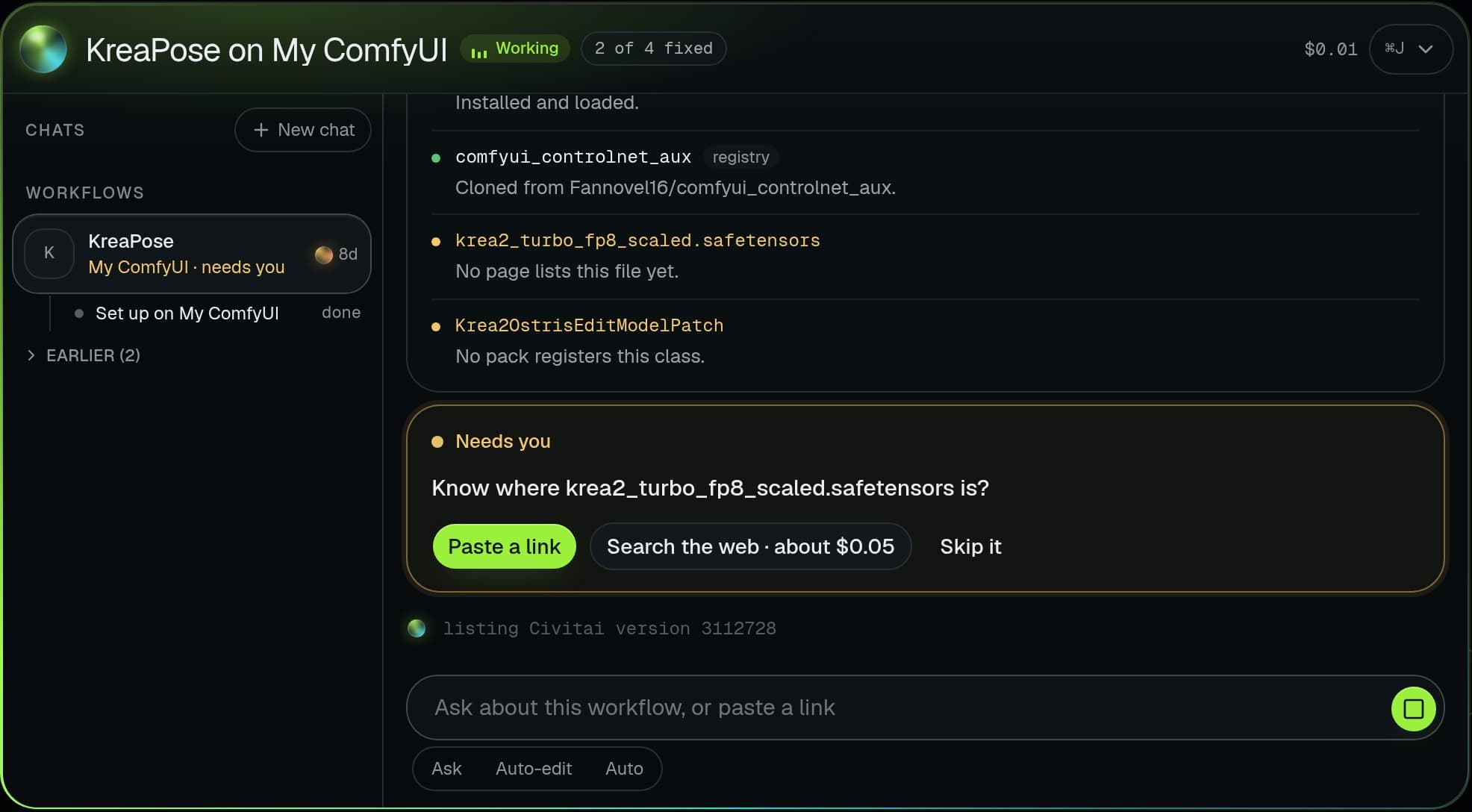
Pick a workflow and press Fix it. This is what the Brain does on your own ComfyUI.
The Brain
- 1Reading the workflow7 nodes, 4 problems found
- 2Installing ControlNet nodescomfyui_controlnet_aux
- 3Downloading the exact modelkrea2_turbo_fp8 · 6.2 GB · Civitai
- 4Installing Impact Packfor Face Detailer
- 5Swapping a sampler you lackdpmpp_3m_sde_gpu → euler_ancestral
- 6Test run passedReady on your ComfyUI
- Checkpoint Missing model
- ControlNet Missing nodes
- KSampler Bad setting
- Face Detailer Missing nodes
A replay of a real kind of repair. In the studio it works on your own ComfyUI or a GPU you rent.
Without the Brain
- 2 node packs to hunt down
- 1 model to find, 6.2 GB
- 1 sampler your install lacks
- Forum threads
With it: one press.
What the error means
A ComfyUI workflow is a list of nodes, and every node has a type. The built-in types ship with ComfyUI; everything else comes from custom node packs that the workflow’s author had installed. When you load a workflow from Civitai, Reddit or a friend, ComfyUI looks up each type, and the ones it cannot find are listed in that dialog and drawn in red on the canvas.
Nothing is broken yet. The workflow simply cannot run until every red node has a pack behind it, and every model it names is on your disk.
| What you see | What it means | The fix |
|---|---|---|
| “The following node types were not found”, red nodes | Custom node packs are not installed | Install Missing Custom Nodes in ComfyUI-Manager, then restart |
| Still red after installing | The node needs a newer ComfyUI, or the pack failed to import | Update ComfyUI, then read the console for IMPORT FAILED |
| “Value not in list” when you press Queue | A model, LoRA or VAE file the workflow names is missing | Download that exact file into the right models folder |
| It worked yesterday, fails after an update | Two packs now need different versions of one dependency | Disable the newest pack, or pin the versions that worked |
Fix 1: install the missing custom nodes
ComfyUI-Manager reads the workflow and matches its missing types to packs it knows about. It is free and solves most cases in a minute.
- Load the workflow so the red nodes are on the canvas.
- Open Manager and choose Install Missing Custom Nodes.
- Install every pack in the list, not only the first.
- Restart ComfyUI completely, then refresh the browser tab.
- Load the workflow again and check that nothing is red.
Fix 2: when Manager cannot find the node
Some packs are not in Manager’s list, and some workflows name a node from an old version of a pack that renamed it. Copy the exact node type from the dialog and search for it on GitHub or in the Comfy Registry; the pack’s README usually says which version introduced it.
If the type is a built-in one, the fix is not a pack at all: your ComfyUI is older than the workflow. Update ComfyUI (Manager’s Update ComfyUI, a git pull, or the update script in the portable build) and reload.
Fix 3: when a pack says IMPORT FAILED
Start ComfyUI from a terminal and read the lines it prints while loading custom nodes. A pack marked IMPORT FAILED is on disk but did not load, almost always because a Python dependency is missing or the wrong version.
Install the pack’s requirements with the same Python that runs ComfyUI. In the Windows portable build that is the embedded interpreter in the python_embeded folder, not the Python on your system; installing into the wrong one is the most common reason the error survives.
Missing models are a different error
Nodes load but the run fails with “Value not in list” on a checkpoint, LoRA, VAE or other model input. The workflow names a file you do not have, or has it under another name.
Find the exact file the author used, usually on a Civitai version page or Hugging Face, and put it in the matching folder under models: checkpoints, loras, vae, and so on. Then pick it in the node’s dropdown. A model with the same name but a different version can load and still give very different results, so match the version, not only the name.
Keep it from breaking again
Every pack you add runs its own Python code and can change shared dependencies. Install packs for the workflows you actually use, not whole collections, and note which versions work together. When an update breaks things, disabling the newest pack in Manager is faster than reinstalling ComfyUI.
Workflows that need the most packs are face, detailer and video workflows, the ones an AI influencer uses daily; see consistent characters in ComfyUI and Wan 2.2 reels.
Or let the studio do the setup
Musetta runs on your own ComfyUI. Its assistant, the Brain, reads a workflow before it runs, finds every missing node pack and model file, installs them, restarts ComfyUI, fixes settings your install lacks, and only says ready once a test run works. Try the demo above, or see how it compares with plain ComfyUI.
If you are weighing whether to keep a node graph at all, the ComfyUI alternatives guide compares the simpler front ends honestly.
Questions
- Is it safe to install custom nodes?
- A custom node pack is Python code that runs with your user’s permissions. Install packs from authors and repositories you can see are widely used, and avoid packs that ask you to run extra scripts you cannot read.
- Why does Install Missing Custom Nodes show nothing?
- Either the node is built in and your ComfyUI is too old, or the pack is not in Manager’s list. Update ComfyUI first, then search the exact node type on GitHub or the Comfy Registry.
- Can I run the workflow without the missing node?
- Not as it is. You can delete the red node and rewire around it if it is optional, such as an upscaler or a preview, but the result will differ from the author’s.
- Do I need to reinstall ComfyUI?
- Almost never. Updating ComfyUI, reinstalling one pack’s requirements with the right Python, or disabling the pack that broke things fixes nearly every case.
Teaching this to your own audience?Earn 20% of every payment from the people you send, for 6 months.How it works