In short
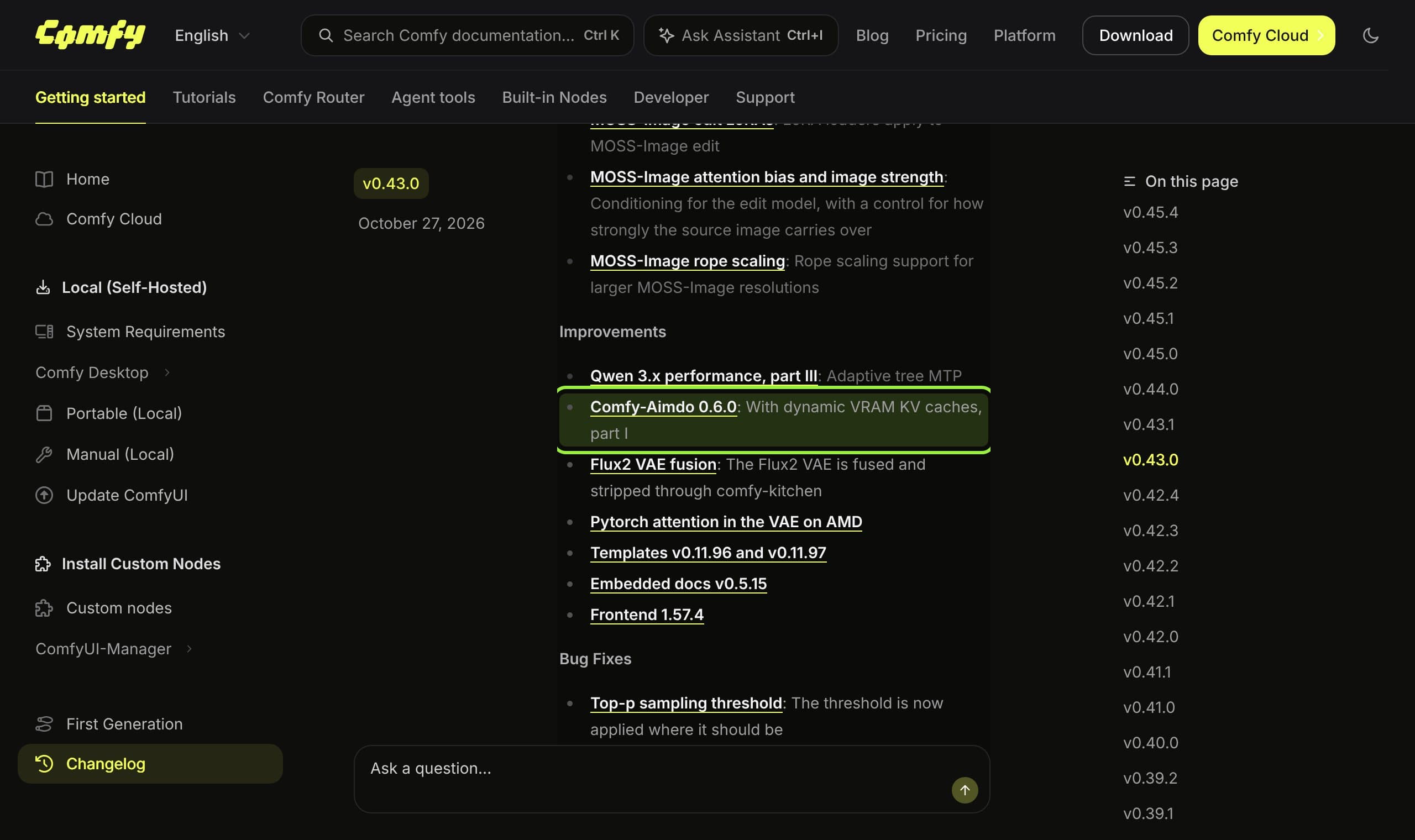
Since v0.43.0 ComfyUI ships Comfy-Aimdo 0.6.0, and most "broke after the update" reports trace to it or to the portable dependency script. Torch not compiled with CUDA enabled: pip swapped in a CPU torch; reinstall the portable and update with update_comfyui.bat only. Stutter: --disable-pinned-memory, 41% slower in one test. Vanishing NVMe: add --disable-dynamic-vram. RAM at 99% has no fix yet: stay on v0.42.3.
If you run a character feed on a local ComfyUI, the worst day is the one after an update: the same workflow that rendered yesterday now refuses to start, freezes the desktop, or eats every gigabyte of RAM. Between 27 October and 15 November ComfyUI shipped v0.43.0 through v0.45.4, eight releases in Comfy's changelog in under three weeks, and v0.43.0 moved to Comfy-Aimdo 0.6.0, the memory layer behind Dynamic VRAM and pinned memory.
We read the 30 most commented ComfyUI issues opened since 5 November, kept the ones that blame an update or look like they do, and matched each to the fix that worked for its reporter. Versions come from Comfy's changelog, flag wording from comfy/cli_args.py, and the driver floor from NVIDIA's release notes, all read on 18 November 2026. We did not reproduce these on our own hardware; where a thread has no fix, this guide says so.
Match your symptom to the fix
| What you see | Likely cause | Fix that worked | Status |
|---|---|---|---|
AssertionError: Torch not compiled with CUDA enabled right after the portable dependency update | pip installed a CPU torch 2.15.0 from PyPI over the CUDA 13.0 build | Fresh portable install, copy your folders over, update with update_comfyui.bat only (issue 17687) | Open, workaround confirmed |
| Whole desktop stutters during generation on Windows and NVIDIA, any model size | Pinned memory in Comfy-Aimdo 0.6.0 (v0.43.0 and up) | --disable-pinned-memory: stutter gone, 41% slower in one test (issue 17578) | Open |
A second NVMe drive vanishes from Windows, error=433, hostbuf_file_reader_read failed | Dynamic VRAM's parallel reads from a secondary drive | --disable-dynamic-vram --disable-pinned-memory, 25 to 35% slower (issue 17677) | Open |
| System RAM at 90 to 99% while ComfyUI shows only 7 to 12 GB | Unaccounted memory since v0.43, cause unknown | None yet; stay on v0.42.x (issue 17648) | Open, no fix |
mmap reserve failed then cannot reshape array when loading a video on a cloud GPU | Video frame host buffer fallback reads float32 where frames are uint8 | None yet (issue 17626) | Open, no fix |
Second job OOMs after an int8_convrot model, /free releases nothing | int8_convrot weights are never unloaded (ROCm report) | Restart ComfyUI between jobs; flags had no effect (issue 17597) | Open, not caused by the update |
Torch not compiled with CUDA enabled: the portable update trap
This is the loudest thread of the month, issue 17687 with 17 comments. A Windows portable user ran update_comfyui_and_python_dependencies.bat, the dependency updater, and ComfyUI stopped at torch.cuda.current_device() with Torch not compiled with CUDA enabled. Reverting ComfyUI itself did not help, because ComfyUI was never the broken part.
The script, as quoted in the issue, runs pip install --upgrade torch torchvision torchaudio with --extra-index-url set to PyTorch's cu130 index. That flag makes pip look at PyPI and PyTorch's CUDA 13.0 index. The reporter's log shows torch 2.14.1+cu130 replaced by a plain torch-2.15.0 wheel with no +cu suffix. A commenter explained why: PyPI's CPU build was newer than the CUDA 13.0 build, so pip took the higher version. The reporter confirmed it twice, once on a fresh portable that worked until the script ran again.
- 1
Rename the broken folder
Keep
ComfyUI_windows_portableas a backup under another name. Nothing in it is lost. - 2
Download a fresh portable
The README says the portable ships Python 3.13 and PyTorch for CUDA 13.0, for NVIDIA 20 series and above. Only GTX 10 series and older take the
cu126build; the README says not to use it on newer cards. - 3
Copy four folders back
models,user,outputandcustom_nodesfrom the old folder, as advised in the thread. Your workflows live underuser. - 4
Check the driver
CUDA 13.x needs an NVIDIA driver of 580 or newer, per NVIDIA's CUDA release notes. The README's own advice for a portable that will not start is to update the driver.
- 5
Update with update_comfyui.bat only
It updates ComfyUI without touching torch. Leave the dependency script alone until the thread reports a fixed version; a commenter said a fix for the update scripts is in progress.
A quicker repair, not confirmed in the thread: run the embedded Python's pip with --force-reinstall for torch torchvision torchaudio and --index-url set to the same cu130 index (download.pytorch.org/whl/cu130). --index-url replaces PyPI instead of adding to it, so pip can only pick a CUDA build. The reporter's own attempt went to CUDA 12.6, which started but hit erratic out of memory errors and ran slower, so stay on cu130 if your card is a 20 series or newer.
Stutter, RAM and a vanishing drive: what Comfy-Aimdo 0.6.0 changed
The desktop stutters while ComfyUI renders
Issue 17578 is the best measured report. On Windows 11 with an RTX 5080 (16 GB) and 64 GB of RAM, a MOSS Image run at 1024 by 1024 and 50 steps took 367 s on v0.42.3 with smooth video playback, and 295 s on v0.44.1 with the desktop lagging for seconds per click. A 2B model at 8.5 GB peak stuttered too, so it is not VRAM pressure.
The reporter then launched with --disable-pinned-memory, which cli_args.py describes as "Disable pinned memory use." The stutter disappeared, and wall time rose to 418 s, about 41% slower than the default and slower than v0.42.3. They traced the default pinned pool to a ram * 0.40 rule, about 26 GB on their 64 GB machine, and asked for a smaller default on Windows. No maintainer has replied yet.
RAM climbs to 99% while ComfyUI looks small
Issue 17648: on a 32 GB machine generating with Krea 2, v0.42.1 used about 21 GB with total RAM at 75 to 90%. On v0.43 and v0.44 Task Manager shows ComfyUI at 7 to 12 GB while total use reaches 90 to 99% and the system nearly crashes. A second user reports the same pattern on builds from September and October. There is no explanation and no fix in the thread; pinned memory is a plausible suspect, untested there.
The secondary NVMe drive disconnects
Issue 17677 reads like a dying SSD and is not one. On v0.45.1 with Comfy-Aimdo 0.6.0, an RTX 5060 Ti and models on a second Samsung 980 PRO, the drive dropped out of Windows until reboot with GetOverlappedResult failed error=433. The reporter reformatted it, swapped slots, and reproduced it on a different drive. --disable-dynamic-vram --disable-pinned-memory fixed it at 25 to 35% lower speed. Before you replace hardware, try the flags.
The fix order that costs least time
- 1
Read the first error line
Torch not compiled with CUDA enabledis the dependency script, not your workflow. Go to the portable steps above. - 2
Disable custom nodes once
Several reports above were confirmed with custom nodes disabled; rule them out first anyway. Comfy's troubleshooting page asks for this before any bug report.
- 3
Try one flag at a time
--disable-pinned-memoryfirst for stutter or RAM, then add--disable-dynamic-vram("use estimate based model loading") for drive or loading errors. Note that--lowvram"doesn't do anything if dynamic vram is enabled", percli_args.py. - 4
Measure the cost
Time one render before and after. The reports put the flags at 25 to 41% slower, which is a fair trade for a usable desktop.
- 5
Roll back if nothing helps
v0.42.3 (21 October in the changelog) is the last release before Comfy-Aimdo 0.6.0. A git install can run
git checkout v0.42.3thenpip install -r requirements.txt; a portable user keeps the old folder. The README warns that commits outside stable release tags "may be very unstable", so roll back to a tag, never a random commit.
What creators are saying
What creators are saying
A portable user says the dependency script had worked the week before, then forced CUDA 13 without warning, and asks how to get back to a version they never wrote down.
ComplaintGitHub, ComfyUI issue 17687
A commenter explains that PyPI's CPU torch was newer than the CUDA 13.0 build, so the script's two indexes let pip pick the CPU wheel, and calls it a latent bug.
After disabling pinned memory the stutter was completely gone, but a run went from 295 to 418 seconds; the reporter still finds v0.42.3 the only setup with both speed and a responsive desktop.
ComplaintGitHub, ComfyUI issue 17578
A user thought their Samsung 980 PRO was dying, reformatted it and swapped slots, then found the disconnects stopped with two launch flags.
On 32 GB, a Krea 2 user says ComfyUI now looks smaller in Task Manager while total RAM hits 99%, and is staying on an older version again.
ComplaintGitHub, ComfyUI issue 17648
What is not the update's fault
Two reports this month look like regressions and are not. Issue 17597 shows int8_convrot models never releasing memory on an RX 7900 XTX: after one FLUX 3 Klein job, 9.3 GiB of VRAM and 20.1 GiB of RAM stayed held and the next job ran out of memory. It reproduces on v0.41.0 and v0.44.0 alike, and no flag helped; only a restart cleared it. If you use those files, restart between long sessions. Our MiniMax H3 Image GGUF study lists other ways to fit a large model.
Issue 17692 is MiniMax H3 Image rendering pure color noise with no error. The cause is the file: raw Hugging Face shards merged by hand use a different timestep layout than the official minimax_h3_image_pruned_bf16.safetensors, and ComfyUI loads them silently. Use the official file, as in our H3 Image review.
Out of memory errors that predate v0.43 have their own guide: ComfyUI out of memory, the Dynamic VRAM fix. For H3 video messages, see six MiniMax H3 errors and their fixes.
Verdict
Treat a ComfyUI update like a model swap: worth it for a new model, risky in the middle of a posting week. If you run the Windows portable, never run the dependency script until issue 17687 closes, and update with update_comfyui.bat. If your machine stutters or your RAM fills on v0.43 or later, --disable-pinned-memory is the first fix and costs a measurable but tolerable slowdown. If the open RAM and video-loading bugs hit you, v0.42.3 is the last version before Comfy-Aimdo 0.6.0, and staying there costs you the newer additions, including native MiniMax H3 Image support, which arrived in v0.45.1.
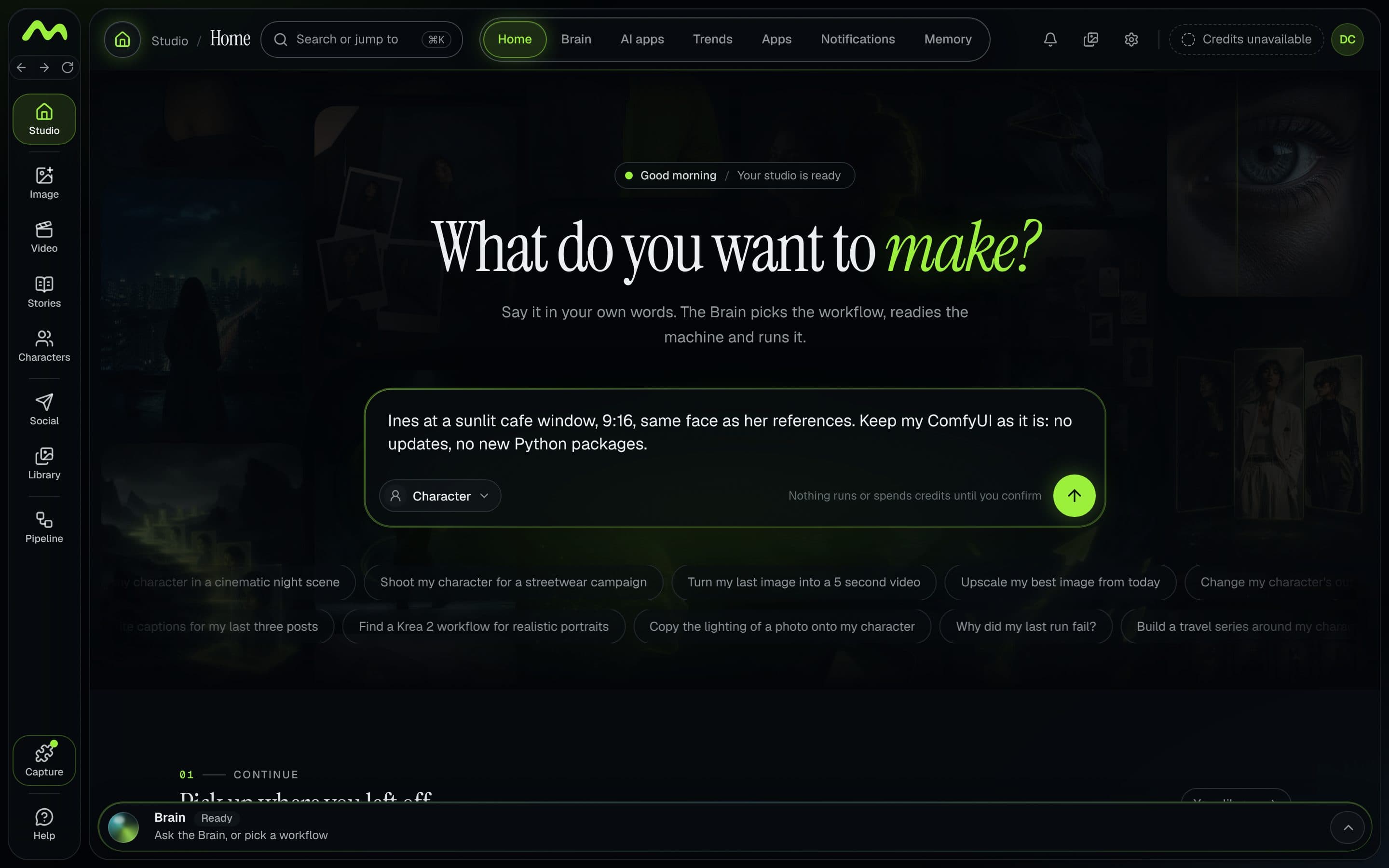
Musetta runs on your own ComfyUI and keeps each character's references with every request, and when a workflow needs a node or model you do not have, its Brain installs what is missing. It does not stop you from updating ComfyUI, so the order above still applies. See how it compares in Musetta vs ComfyUI, or read the missing nodes guide.
Questions
- Why does ComfyUI say Torch not compiled with CUDA enabled after an update?
- On the Windows portable, update_comfyui_and_python_dependencies.bat can install a CPU build of torch from PyPI over the CUDA 13.0 build, because the CPU version was newer (issue 17687). Reinstall the portable, copy models, user, output and custom_nodes back, and update with update_comfyui.bat.
- How do I stop ComfyUI from freezing my PC during generation?
- On v0.43 and later, launch with --disable-pinned-memory. In issue 17578 that removed the stutter on an RTX 5080, at a cost of 295 to 418 seconds for one run.
- How do I roll back ComfyUI to an older version?
- Roll back to a stable tag, not a commit. v0.42.3 (21 October 2026) is the last release before Comfy-Aimdo 0.6.0. In a git install run git checkout v0.42.3 and reinstall requirements; with the portable, keep the old folder.
- Does --lowvram help on new ComfyUI versions?
- Not while Dynamic VRAM is on: cli_args.py says it does not do anything if dynamic VRAM is enabled. Use --disable-dynamic-vram first if you need the old loading behaviour.
- Which NVIDIA driver does the ComfyUI portable need?
- The portable ships PyTorch for CUDA 13.0, which needs driver 580 or newer per NVIDIA's release notes. GTX 10 series cards take the separate cu126 portable.
Sources
- 01Running update_comfyui_and_python_dependencies.bat on the portable version breaks comfyui CUDA files · Comfy-Org/ComfyUI on GitHub, 2026-11-11
- 02Severe system-wide UI stutter during generation on 0.44.1 · Comfy-Org/ComfyUI on GitHub, 2026-11-06
- 03DynamicVRAM causes secondary NVMe drive to hard-disconnect from Windows · Comfy-Org/ComfyUI on GitHub, 2026-11-10
- 04Major discrepancy in RAM utilization with ComfyUI v43 and up · Comfy-Org/ComfyUI on GitHub, 2026-11-10
- 05Video loading crashes with AIMDO host buffer mmap failure · Comfy-Org/ComfyUI on GitHub, 2026-11-09
- 06Unload leaks int8_convrot weights · Comfy-Org/ComfyUI on GitHub, 2026-11-07
- 07MiniMax H3 Image: raw HF checkpoint outputs pure color noise · Comfy-Org/ComfyUI on GitHub, 2026-11-11
- 08ComfyUI changelog · Comfy, 2026-11-15
- 09ComfyUI troubleshooting overview · Comfy, 2026-11-18
- 10ComfyUI README · Comfy-Org, 2026-11-18
- 11comfy/cli_args.py · Comfy-Org, 2026-11-18
- 12CUDA Toolkit release notes, driver compatibility · NVIDIA, 2026-11-18
Researched and written by the Musetta editorial desk with AI assistance, from the sources above. Numbers come from those sources; nothing is benchmarked by us unless the article says so. Spotted an error? Tell us on Discord and we fix it.