In short
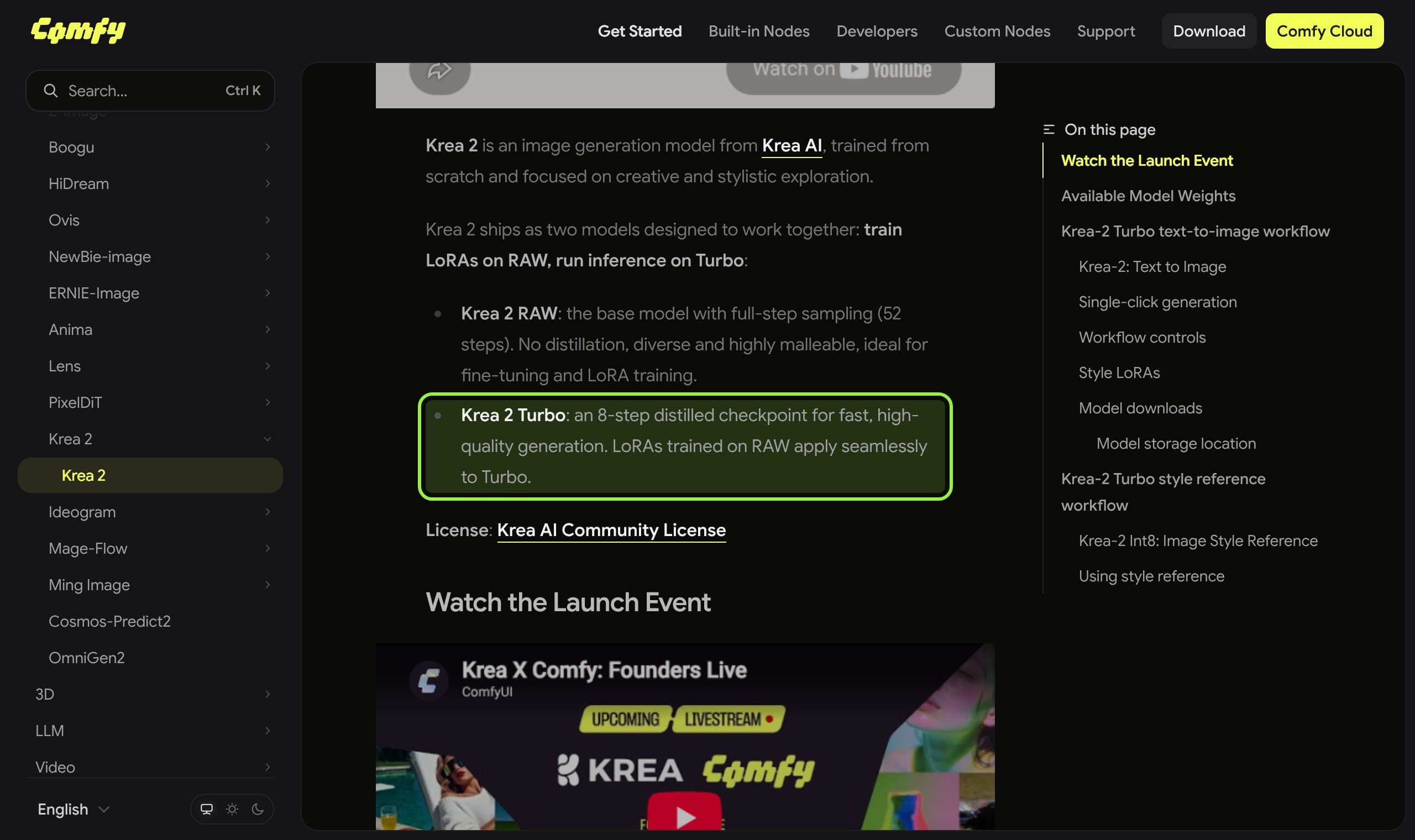
A distilled checkpoint (Turbo, Lightning) is a base model taught to finish in 4 to 8 steps with guidance off. It is faster and steadier, but it settles its composition in the first step, so it repeats itself across seeds. Train a character LoRA on the base, render on the distilled copy.
This week the two most downloaded open image models for a recurring face came as pairs: Qwen-Image 2.1 and its 8-step Turbo, Krea 2 Raw and its 8-step Turbo. Same weights lineage, same license, very different behaviour. Krea's Raw runs 52 steps in Comfy's workflow; its Turbo runs 8 with guidance at 0.0. If you run a character, picking the wrong half of the pair costs you either hours or the likeness.
This explainer is the concept behind those file names: what distillation changes, what it quietly takes away, which setting breaks when you swap one for the other, and which half to train on. Every number below is read from a model card or a paper linked where it is used. For the model-specific side, see our Krea 2 vs Qwen-Image 2.1 comparison and the MiniMax H3 Turbo breakdown, which is the same idea applied to video.
What distillation is, in one paragraph
A base model removes noise from an image over many small steps, and usually runs twice per step: once with your prompt and once without, then pushes the result away from the blank one. That push is classifier-free guidance, the CFG number. Distillation trains a second copy, the student, to reach the same final image in a handful of steps and without the second pass. The student is what ships as Turbo or Lightning.
A distilled model is a descendant of the base, not a different model. Krea says LoRAs trained on Raw apply to Turbo, which is why the character LoRA branches off the base.
The pairs you will actually meet
| Model | Form | Steps | Guidance | License |
|---|---|---|---|---|
| Qwen-Image 2.1 (base) | Full checkpoint, 7B | 40 in the card's examples, not labelled a recommendation | Not stated on the card | Qwen Research License |
| Qwen-Image 2.1 Turbo | "Accelerated checkpoint" of the base, 7B | 8, schedule bundled with the weights | CFG 1 by default | Qwen Research License |
| Qwen-Image 2.1 Lightning (lightx2v) | 4-step distilled LoRA on the base | 4, sigmas 1.0, 0.75, 0.5, 0.25 | true_cfg_scale 1.0 | Not stated on the page |
| Krea 2 Raw | Pre-trained checkpoint, before post-training | 52 in Comfy's workflow | Not stated by Comfy | Krea 2 Community License, gated |
| Krea 2 Turbo | Post-trained plus distilled checkpoint | 8 | 0.0 | Krea 2 Community License, gated |
What you gain
Speed first. Eight steps against forty is five times fewer steps, and if the base is run with guidance on, each of those forty costs two passes, so the arithmetic ceiling is roughly ten times less compute per image (our arithmetic, not a measured benchmark; real gains depend on the card, the text encoder and the VAE). Turbo drafts also let you reject a bad pose in seconds instead of minutes, which matters more for a daily feed than any quality score.
Steadiness second. Third-party Krea 2 reviews (not Krea's own claims) describe Raw as more varied and malleable with finer micro-texture, and Turbo as more consistent, polished and slightly smoothed. For a character, polish and consistency are often what you want in the final frame, as long as the face holds.
What you lose, and why
The loss is variety. Gandikota and Bau (arXiv 2503.10637) looked at how images form inside distilled and base models and report that distilled models settle their final structure almost immediately, at the first timestep, while base models spread those decisions across many steps. If the layout is fixed in step one, changing the seed changes little. Their fix, run the base for the first step and hand over to the distilled model, restored diversity in their tests.
The creator community found the same thing without the paper. Krea 2 users complained that Turbo outputs look alike across seeds, and a diversity adapter for Krea 2 Turbo now exists. Its author reports a rank-32 LoRA that raises pairwise CLIP distance from 0.0296 to 0.0548 (+85%) on a panel of 10 prompts by 16 seeds, with an image-quality score at parity. Read that as the author's own small test: a distance metric measures variation, not whether the extra variety is better.
What creators are saying
The original poster does not like Turbo because it always looks the same across seeds, and found Raw looked worse even after testing guidance from 1 to 10 at 50 steps.
A reply suggests applying a Turbo LoRA at 0.6 strength with 12 steps to get more variation, and the poster liked the idea.
The Viggle Qwen Turbo card says it is hard to tell from the base on most official examples, but complicated edits such as face swaps and identity-preserving edits can still drift from the base.
A Z-Image Turbo guide blames the lack of variety on the first sampling step fixing too much of the composition, which is the same mechanism the paper describes.
The settings that break when you swap
- 1
Match the step count to the file
A Turbo checkpoint bundles its own schedule. Qwen's card warns that setting the step count alone does not override it and that other schedules have not been evaluated. Use the number on the card, not a bigger one.
- 2
Set guidance the way the card says
Qwen Turbo defaults to CFG 1 and Krea Turbo to 0.0. A base-model value such as 4 or 7 on a distilled file is the usual cause of burnt, over-saturated images. One community guide reports Krea 2 Turbo falling apart at guidance 7 to 15.
- 3
Do not stack two speed-ups
A 4-step Lightning LoRA belongs on the base, not on a Turbo that already runs 8 steps. Pick one recipe per graph, and run it at the step count it was trained for.
- 4
Expect negative prompts to go quiet
With guidance off there is no push away from the blank prompt, so a negative prompt has little to push against. If your recipe depends on one, use the base model or a model that still takes real guidance.
For a recurring face: train on the base, render on the distilled copy
Krea's own repository recommends training a LoRA on Raw and applying it to Turbo, and Comfy's page says the same. The logic: Raw is undistilled and malleable while Turbo is built for fast generation. That is the pattern to copy for any pair: teach the identity to the model that can still change, then render on the one that is cheap. Our consistent character guide covers the reference-set side of this.
There is one honest unknown. Neither lab publishes a face-similarity test for Turbo against the base, so "the likeness survives distillation" is a claim you verify on your own character: render the same 8 prompts on both with the LoRA at the same strength, and compare faces side by side before you move the feed to Turbo.
Cheat-sheet: which half to use
- Training a character LoRA
- Base / Raw. Krea and Comfy both say LoRAs trained on Raw apply to Turbo.
- Drafting poses and outfits
- Turbo or Lightning: 4 to 8 steps, guidance at the card's value.
- Final hero frame, unusual pose
- Base, or Turbo plus a few base steps. Variety lives in the early steps.
- Every render looks alike
- A diversity adapter limited to the first steps, or the base for step one.
- Edits that must keep the face
- Test Turbo against the base first; edits are where identity drift is reported.
- Needs a negative prompt
- Base model. Distilled files run with guidance off.
Gaps and caveats worth knowing
- A small blind test by a commercial API vendor rated Qwen Turbo's text-to-image quality below the base on 14 questions, while its edits held up. One vendor, small panel: a hint, not a verdict.
- A GGUF publisher reports Turbo drifting from the original picture faster than expected at 4 bits and below, so quantizing a distilled model compounds the loss.
- The diversity adapter is a research artifact: its author says it applies only to the first 2 of 8 steps, collapses quality if left on for all 8, and stock ComfyUI applies LoRAs on every step, so it needs a step-scheduling node.
- Licenses carry over. Qwen's Turbo is under the same Qwen Research License as the base and Krea's two checkpoints share the gated Krea 2 Community License, so distilling does not get you out of a commercial-use limit. Read the license before you monetize.
Our verdict
Treat Turbo as the production tool and the base as the teacher. Train and test on the base, render the daily feed on the distilled copy, and keep a base-model recipe for the shots that need a different composition. Do the side-by-side face test once per character, then trust it.
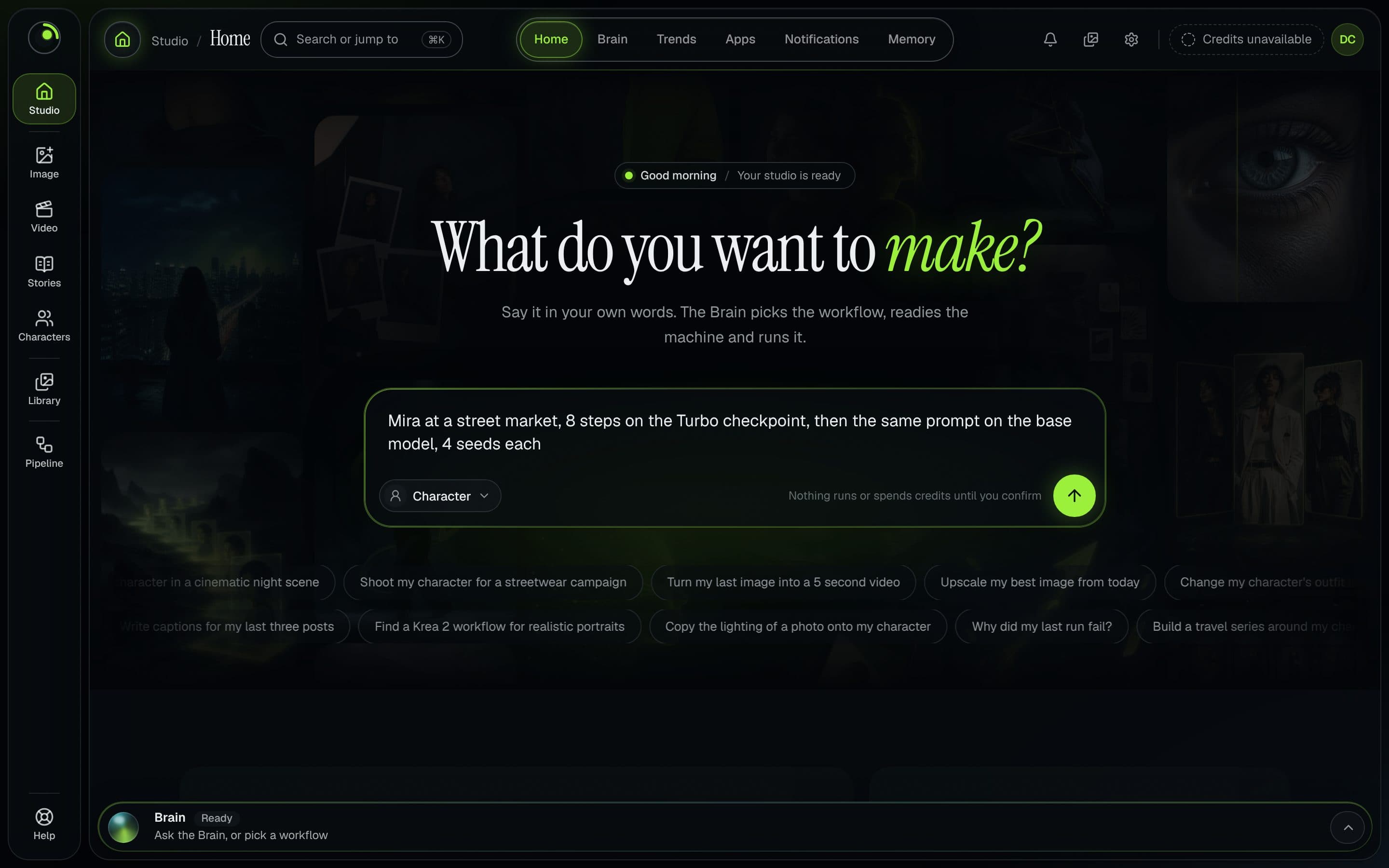
If you would rather not manage this by hand, the Musetta studio runs on your own ComfyUI and keeps each character's reference photos, so a draft on a fast checkpoint and a final on the base start from the same approved face. The advice above works in plain ComfyUI; how Musetta compares with working in ComfyUI directly is a separate page.
Questions
- What is the difference between a distilled model and a base model?
- A base model denoises over many steps and normally uses classifier-free guidance. A distilled model is a student trained to reach a similar image in 4 to 8 steps with guidance off, which makes it faster but less varied between seeds.
- Which CFG should I use with Turbo models?
- Use the value on the card. Qwen-Image 2.1 Turbo defaults to CFG 1 and Krea 2 Turbo uses guidance 0.0. Base-model values such as 4 to 7 usually burn the image.
- Should I train a character LoRA on Raw or on Turbo?
- Krea recommends training on Raw and applying the LoRA to Turbo, and Comfy states that LoRAs trained on Raw apply to Turbo. Test the likeness on both before you switch your feed.
- Why does Turbo give the same image for every seed?
- Research on distilled models reports they fix the image structure at the first timestep, so later steps only refine it. Diversity adapters and a base-model first step both target that.
- Can I use a Lightning LoRA on a Turbo checkpoint?
- Not as a rule. A 4-step distillation LoRA is built for the base model, and stacking it on an already accelerated checkpoint is untested on both cards. Use one speed-up per graph.
Sources
- 01krea-ai/krea-2 inference code and guidance · Krea, GitHub, 2026-10-17
- 02Qwen/Qwen-Image-2.1-Turbo model card · Qwen, Hugging Face, 2026-10-17
- 03Qwen/Qwen-Image-2.1 model card · Qwen, Hugging Face, 2026-10-17
- 04lightx2v/Qwen-Image-2.1-Lightning model card · LightX2V, Hugging Face, 2026-10-17
- 05krea/Krea-2-Turbo model card · Krea, Hugging Face, 2026-10-17
- 06Krea-2 ComfyUI Workflow Example · Comfy, 2026-10-17
- 07Distilling Diversity and Control in Diffusion Models · Gandikota and Bau, arXiv, 2025-03-13
- 08F16/krea2-turbo-sda model card · F16, Hugging Face, 2026-10-17
- 09Krea-2 discussion: Turbo vs Raw · Comfy-Org, Hugging Face, 2026-10-17
- 10Viggle Qwen-Image-2.1 Turbo model card · Viggle, Hugging Face, 2026-10-17
- 11How to Dramatically Improve Image Variation in Z Image Turbo · MyAIForce, 2026-10-17
Researched and written by the Musetta editorial desk with AI assistance, from the sources above. Numbers come from those sources; nothing is benchmarked by us unless the article says so. Spotted an error? Tell us on Discord and we fix it.