In short
H3 Tiny is an independent pruning of MiniMax H3 from 33.1B to 17.1B and 14.0B parameters, released 19 to 24 November 2026 and loadable with ComfyUI's stock H3 nodes. Its 17B INT8 file is 18.08 GB against 20.97 GB for the pruned file Comfy-Org already ships, a 2.9 GB saving. The cost: the Turbo LoRAs are untested on it, so three of four checkpoints run 50 steps. Only the FewStep file is fast, at 6 steps, reference mode only, with the project's own nodes. The license and its excluded territories are unchanged.
If your character's reels run on MiniMax H3, a model half the size sounds like the upgrade you were waiting for. H3 Tiny cuts the 33.1B transformer to 17.1B without any training and loads in ComfyUI's stock H3 nodes. Then you open the file list: the 17B INT8 file is 18.08 GB, and the pruned H3 file Comfy-Org already ships is 20.97 GB. The saving against what most people run today is 2.9 GB, and three of the four Tiny checkpoints sample at 50 steps because the Turbo LoRAs were never tested on them.
We did not render a head-to-head ourselves. This article compares the H3 Tiny repository, its project page and Hugging Face cards, the Comfy-Org file listing and both license files, all read on 25 November 2026. No independent quality test of H3 Tiny exists yet; where a number is the authors' own, we say so. For H3 itself, see our MiniMax H3 review.
The short answer
- Image to video from a first frame: stay on the Comfy-Org pruned file with the Turbo LoRA, 4 or 8 steps. H3 Tiny's image-to-video checkpoint is 50 steps only.
- Reference to video, where the face comes from your character's photos: H3 Tiny FewStep is the one file worth an evening. Six steps with no LoRA, 18.06 GB in INT8, but it needs the project's two custom nodes.
- A 16 GB card: the 14B file (15.13 GB) fits on paper, at 50 steps. The official
w6a8pruned file is 15.98 GB and keeps the Turbo LoRA path, so try that first. - The license: identical. H3 Tiny is a Model Derivative under the same MiniMax H3 Community License, with the same four excluded territories.
MiniMax H3 Tiny vs MiniMax H3, side by side
| What | MiniMax H3 (Comfy-Org files) | H3 Tiny |
|---|---|---|
| Maker | MiniMax; repackaged by Comfy-Org | Haoshuai Fu and Bin Chen, independent, not affiliated with MiniMax or Comfy Org |
| Parameters | 33.1B, 50 blocks | 17.1B (42 blocks) and 14.0B (42 blocks, narrower feed-forward) |
| Released | Repository on Hugging Face since 28 July 2026 | 19 November 2026; ComfyUI files 21 November; INT8 files 24 November |
| Reference to video file, INT8 | 34.04 full, 20.97 pruned | 18.08 (17B), 15.13 (14B) |
| Reference to video file, bf16 | 66.28 full, 40.23 pruned | 34.25 (17B), 28.09 (14B) |
| Image to video (first and last frame) | Yes, full and pruned | 17B only, no training, 50 steps |
| Few-step sampling | Turbo LoRAs: 4 and 8 steps for image to video, 4 steps for reference to video (v0.1) | FewStep checkpoint, reference to video only: 6 steps by default, 4 or more |
| Turbo LoRA support | Yes | Untested, per the authors |
| Custom nodes | None | None at 50 steps; two nodes for FewStep |
| Audio | Synchronized audio | Kept; pruning protected the twelve blocks audio depends on most |
| License | MiniMax H3 Community License | The same file, byte for byte |
What H3 Tiny actually removes
The project page explains the trick, and it is a good one. Of H3's 33.1B parameters, 13.0B sit in per-block AdaLN projections of a fixed time embedding. Because that input never depends on your prompt, the authors replace those tables with a rank-8 approximation and need no data to do it: 13.0B parameters become 37 million, at a stated error of 1 to 3e-5.
Then they measure how much each of the 50 blocks changes video and audio tokens, protect the twelve the audio depends on most, and delete eight (blocks 6 to 11, 13 and 15) using 24 calibration clips and 8 tuning clips. That is the 17B, with no training at all. The 14B narrows every feed-forward layer from 14,336 to 9,792 channels and recovers with a short distillation from the 33B teacher.
One caution about that chart. Comfy-Org's own pruned file is 40.23 GB in bf16, which at two bytes per weight is about 20.1B parameters, exactly what is left when you take 13.0B of AdaLN tables out of 33.1B. That is our arithmetic, not a statement from Comfy-Org, but it suggests the file most people already run has the first and largest of H3 Tiny's three cuts in it. So the fair comparison for a ComfyUI user is 20B against 17B, and that is why the saving on disk is 2.9 GB and not 16.
File sizes and VRAM: what you save
| Stack (reference to video) | Diffusion model | With INT8 text encoder and VAEs | With NVFP4 text encoder |
|---|---|---|---|
| H3 full, INT8 | 34.04 | 64.60 | 53.15 |
| H3 pruned, INT8 | 20.97 | 51.53 | 40.08 |
| H3 Tiny 17B, INT8 | 18.08 | 48.64 | 37.19 |
| H3 pruned, w6a8 | 15.98 | 46.54 | 35.09 |
| H3 Tiny 14B, INT8 | 15.13 | 45.69 | 34.24 |
The Qwen3-VL-32B text encoder is 27.14 GB in INT8 and 15.69 GB in NVFP4; the video VAE is 2.81 GB and the audio VAE 0.61 GB. H3 Tiny changes none of them. Once the transformer is pruned, the text encoder is the largest file in the stack, and moving from the pruned H3 to H3 Tiny 17B shrinks the whole download by under 6%.
On memory, the authors publish one figure: at 1344 x 768 and 243 frames on a single H200, the INT8 transformer takes about 17 GB of VRAM instead of 33 GB for their bf16 file, at the same sampling speed. That compares H3 Tiny with itself. Nobody has published H3 Tiny against the Comfy-Org pruned file on a 16 or 24 GB card, and the authors' test card has far more memory than either. If a model does not fit, the usual offloading advice in our H3 error fixes still applies, and so does renting a GPU by the hour.
The catch: you are back at 50 steps
Speed on H3 comes from the Turbo LoRAs, not from the model's size. Comfy-Org ships a 4-step and an 8-step LoRA for image to video and a 4-step v0.1 for reference to video; our Turbo workflow breakdown walks through the graph. The H3 Tiny card is plain about what happens to them: they were trained on the 33B model and are untested on H3 Tiny. Its instructions say to sample without the LoRA at 50 steps, simple scheduler, euler, and a guider without CFG.
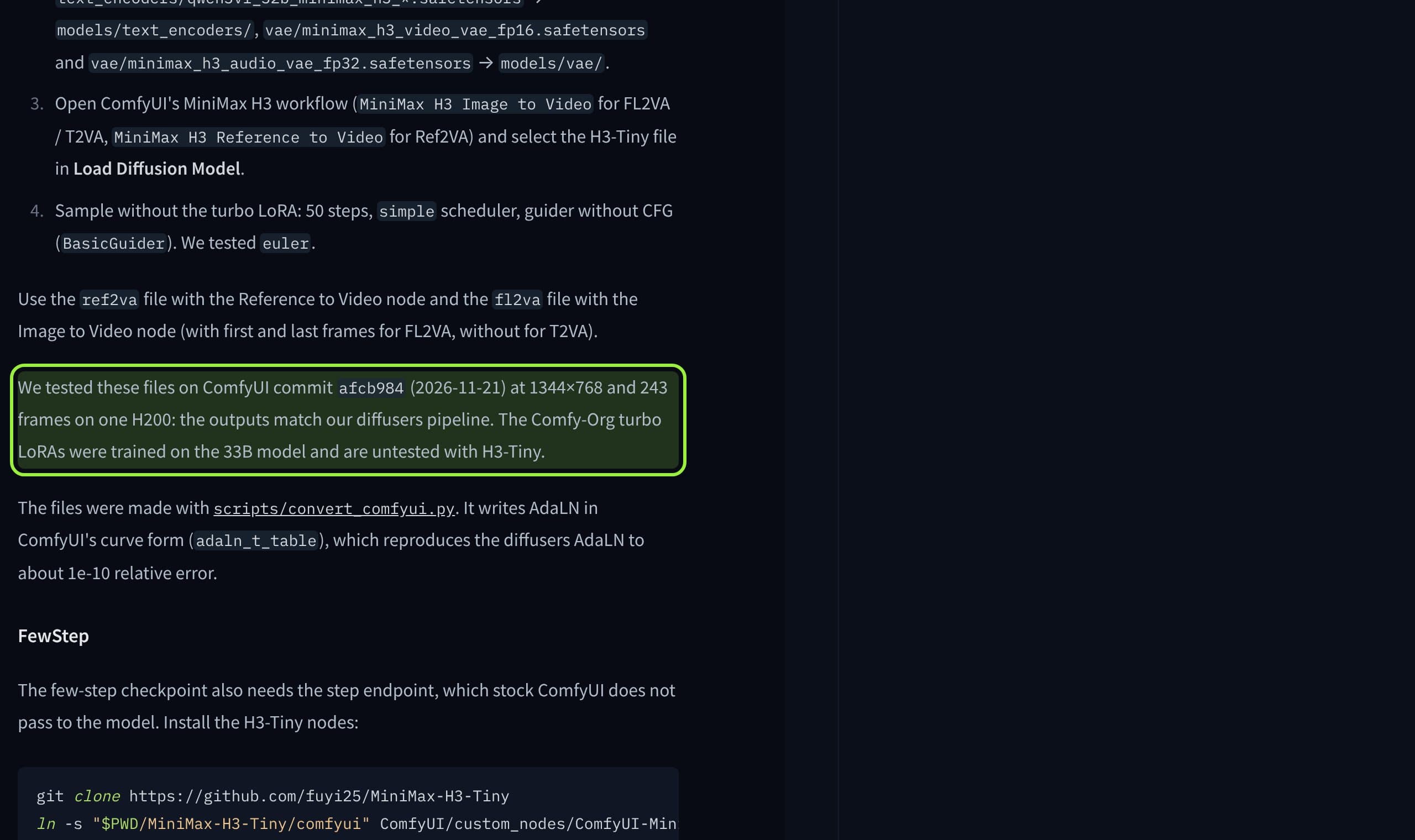
A model with about 15% fewer weights than the pruned H3 does each step a little faster. Fifty of those steps against eight is roughly six times the work. Untested is not the same as broken, and someone will try the LoRA on the 17B this week, but until a result is published, treat three of the four Tiny files as slower in practice than the setup you have. We compared the other fast LoRAs for H3 in Pika H3 Flex vs MiniMax H3 Turbo.
FewStep: the one file worth trying
MiniMax-H3-Tiny-17B-FewStep-Ref2VA-v0.1 is the 17B distilled to sample in 6 steps by default, 4 or more, with no LoRA. It is reference to video only, which happens to be the mode a recurring character lives in: the face comes from your stills, not from a first frame. The files are 34.23 GB in bf16 and 18.06 GB in INT8.
It is also the only H3 Tiny file that stock ComfyUI cannot run. The checkpoint needs a step endpoint that ComfyUI does not pass to the model, so the project ships two nodes: H3-Tiny Few-Step Loader in place of Load Diffusion Model, and H3-Tiny Few-Step Sigmas feeding SamplerCustomAdvanced.
From the H3 Tiny card. The two H3-Tiny nodes are the only additions to ComfyUI's own template.
Three honest limits. It is a v0.1. The comparison clips on the project page are the authors' own, against the 33B at 50 steps and one other few-step model, with no scores attached. And there is no few-step file for image to video; a 14B FewStep is listed as coming soon.
The license does not get smaller
The H3 Tiny repository carries its own copy of the license, LICENSE-MiniMax-H3. We downloaded it and the original and compared them: the same 17,604 bytes. The NOTICE file states that the weights are Model Derivatives of MiniMax H3, and the license defines a Model Derivative to include any modification of the model. Only the pruning code is Apache 2.0.
So the terms that decide whether you may use H3 at all carry over unchanged: the Excluded Territories are the European Union, the United Kingdom, the Republic of Korea and the United States, and the license bars using the works or their outputs outside the Applicable Territory. A smaller file does not move that line. We are not lawyers; the full picture for 13 models is in our license guide for commercial use, and the open alternative is covered in PAN 2 vs MiniMax H3.
What creators are saying
“"Tiny" in bf16 isn't so tiny anymore”
A user asked for a pruned INT8 file for ComfyUI a day after it shipped. The authors pointed at the files: 18.1 GB for the 17B models, 15.1 GB for the 14B, loaded with Load Diffusion Model.
QuestionHugging Face, H3-Tiny ComfyUI discussion, 25 November 2026
A developer packed FewStep into a single 13 GB file for a Rust engine and reports 24.1 seconds for 39 frames at 512 x 288, 4 steps, on an RTX 3060 12 GB.
TipHugging Face, H3-Tiny ComfyUI discussion, 23 November 2026
A member of Hugging Face's open-source team said they were excited about the work and built a free demo Space for the 14B model two days after release.
PraiseHugging Face, H3-Tiny 14B discussion, 21 November 2026
Read the RTX 3060 number with the authors' reply next to it: that build swaps the Qwen3-VL-32B text encoder for a 4-bit 4B one, a combination they have not trained or tested, and it does not run in ComfyUI. It is a sign of where a 12 GB card might end up, not a result for the files above. The mood on the model pages is the same as ours: the first question was not about quality, it was about size. Reddit was not reachable from our research session, and we found no thread on H3 Tiny through search, so these voices come from the model pages.
Which file to run, by situation
MiniMax H3 or H3 Tiny
- Image to video from one still, drafts
- H3 pruned INT8 (20.97 GB) with the 4 or 8 step Turbo LoRA
- Reference to video of a recurring character
- H3 pruned with the 4-step reference LoRA today; test H3 Tiny FewStep INT8 (18.06 GB, 6 steps) against it
- 24 GB card that offloads on the pruned file
- H3 Tiny 17B INT8 frees 2.9 GB of weights; expect 50 steps unless you use FewStep
- 16 GB card
- H3 pruned w6a8 (15.98 GB) first; H3 Tiny 14B INT8 (15.13 GB) if you accept 50 steps
- Final render where quality is all that counts
- H3 full or pruned at full steps. No independent score for H3 Tiny exists yet
- You are in the US, EU, UK or South Korea
- Neither. Same license, same excluded territories
- You started ComfyUI with --enable-triton-backend
- Install the H3-Tiny nodes even at 50 steps; they split INT8 calls too large for those kernels
How to test H3 Tiny on your own character
- 1
Update ComfyUI
The authors tested on commit
afcb984from 21 November 2026. The newest tagged release in the changelog, 0.46.2, is dated 20 November, so use a build at least as new as that commit; older builds are untested. - 2
Download one file
From H3-Tiny/MiniMax-H3-Tiny-ComfyUI, take the FewStep INT8 file (18.06 GB, its name ends in
fewstep_ref2va_int8_convrot) and put it inmodels/diffusion_models. Your existing H3 text encoder and VAEs from Comfy-Org/MiniMax-H3 stay as they are. - 3
Install the two nodes
Clone the MiniMax-H3-Tiny repository and link its
comfyuifolder intocustom_nodesasComfyUI-MiniMax-H3-Tiny, as the card shows. Restart. - 4
Swap two nodes in the Reference to Video template
Load the file with H3-Tiny Few-Step Loader, and feed H3-Tiny Few-Step Sigmas at 6 steps into
SamplerCustomAdvancedwitheulerandBasicGuider. Remove the Turbo LoRA. - 5
Render the same shot both ways
Same references, prompt and seed on your current pruned H3 with its 4-step LoRA. Compare the face in the last second against your stills, listen to the audio, and note the time. Keep whichever holds the face.
Verdict
H3 Tiny is careful engineering with an honest card, and the finding that 13 of 33 billion parameters were a lookup table is worth knowing on its own. As something to run this week it is narrower than its name. Against the pruned file already in your diffusion_models folder it saves 2.9 GB, and it gives up the Turbo LoRA to get there. For image to video, that is a bad trade today: stay where you are.
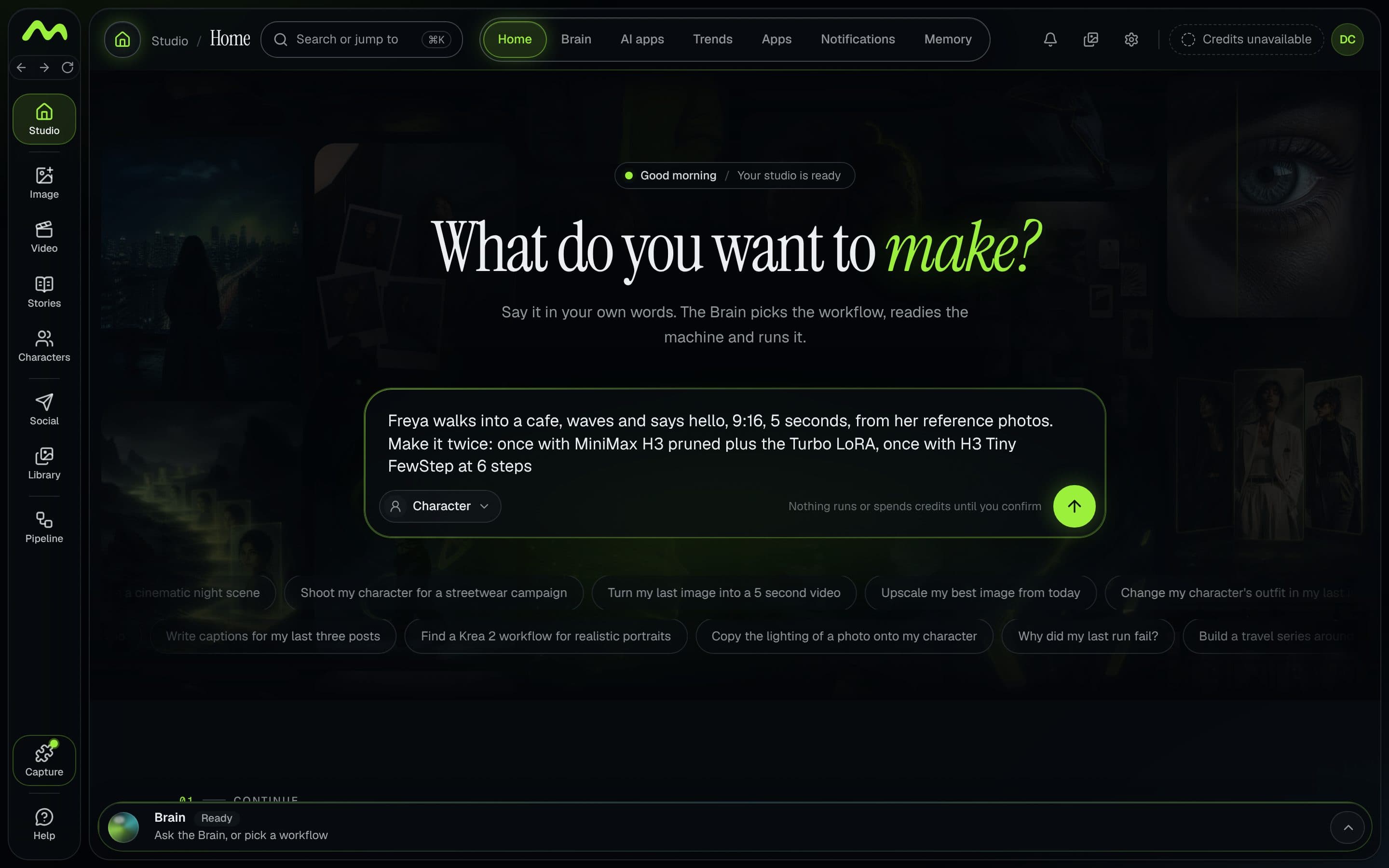
FewStep is the exception, because it is the only few-step H3 model that is a checkpoint and not a LoRA, and it targets the reference mode a character feed depends on. Test it against your current 4-step setup on one shot of your own character before believing either side. What would change this verdict: a published Turbo LoRA result on the 17B, the promised 14B FewStep, or a first independent face comparison. We will update this page when one lands. Musetta runs on your own ComfyUI and installs the models and nodes a workflow is missing, so a test like this starts from your character's saved references; see how it compares with plain ComfyUI.
Questions
- Is MiniMax H3 Tiny better than MiniMax H3?
- It is smaller, not better. H3 Tiny is the same model with 8 of 50 blocks removed and its AdaLN tables compressed, 17.1B parameters against 33.1B. The authors show side-by-side clips but publish no scores, and no independent test exists as of 25 November 2026.
- How much VRAM does MiniMax H3 Tiny need?
- The authors report about 17 GB of VRAM for the INT8 transformer against 33 GB for their bf16 file, at 1344 x 768 and 243 frames on one H200. The INT8 files are 18.1 GB (17B) and 15.1 GB (14B). The 27.14 GB INT8 text encoder and the VAEs come on top, as with H3.
- Does the MiniMax H3 Turbo LoRA work with H3 Tiny?
- Unknown. The H3 Tiny card says the Comfy-Org turbo LoRAs were trained on the 33B model and are untested with H3 Tiny, and tells you to sample without one at 50 steps. For few steps, use the FewStep checkpoint, which runs at 6 steps with the project's own nodes.
- Does H3 Tiny need custom nodes in ComfyUI?
- Not for the three 50-step checkpoints; ComfyUI reads the pruned depth and width from the file and loads them with Load Diffusion Model. The FewStep checkpoint needs the H3-Tiny Few-Step Loader and Few-Step Sigmas nodes from the project's repository.
- Can I use H3 Tiny commercially in the US or EU?
- H3 Tiny ships under the same MiniMax H3 Community License as the original, as a Model Derivative. That license excludes the European Union, the United Kingdom, South Korea and the United States, outputs included. This is not legal advice; read the license file.
Sources
- 01MiniMax-H3-Tiny for ComfyUI, model card and file listing · H3-Tiny, Hugging Face, 2026-11-24
- 02H3-Tiny: Structured pruning of MiniMax H3, repository README · fuyi25, GitHub, 2026-11-24
- 03H3-Tiny project page (method, checkpoints, results) · Haoshuai Fu and Bin Chen, 2026-11-19
- 04Comfy-Org/MiniMax-H3 repackaged files · Comfy-Org, Hugging Face
- 05MiniMax H3 Community License Agreement · MiniMax, Hugging Face
- 06ComfyUI changelog (v0.46.0 to v0.46.2) · Comfy Org, 2026-11-20
- 07INT-8, community discussion with the authors' reply · Hugging Face discussions, 2026-11-23
- 08need pruned int8 for comfyui, community discussion · Hugging Face discussions, 2026-11-25
- 09CMF build for cortiq from the FewStep checkpoint, community discussion with the authors' reply · Hugging Face discussions, 2026-11-23
- 10Demo for this model on Spaces, community discussion · Hugging Face discussions, 2026-11-21
Researched and written by the Musetta editorial desk with AI assistance, from the sources above. Numbers come from those sources; nothing is benchmarked by us unless the article says so. Spotted an error? Tell us on Discord and we fix it.