In short
MiniMax released H3 Image with open weights on 10 November: 6 steps, about 16 MP, up to 16 input images, ComfyUI 0.45.0. Against Pruna's P-H3-Image it is larger to run (about 29 GB smallest stack against 20 GB, because it needs the 32B text encoder) and its license asks for written authorization above 1 million USD in revenue, where P-H3-Image's says 20 million. Both exclude the US, EU, UK and South Korea. Day-one reports say H3 Image loses the reference face in edits, so for a recurring character we would wait a week.
If you run a character on MiniMax H3 video, you now have two still models built from the same parent, and they are not interchangeable. MiniMax H3 Image, released by MiniMax itself on 10 November, samples in 6 steps at about 16 megapixels. P-H3-Image, Pruna AI's version from 3 November, samples in 8 steps at 8 megapixels. The official one is bigger to run, and its license asks for written authorization above 1 million US dollars in revenue, where the license P-H3-Image ships says 20 million.
We did not render a head-to-head. H3 Image is one day old and no independent test exists. This article compares what the two model cards, the two license files, the Comfy docs, the ComfyUI release notes and the Hugging Face file listings say, read on 11 November 2026, plus the first reports from people who ran it. For the earlier comparison with an Apache-2.0 model, see P-H3-Image vs MOSS Image.
The short answer
- You are in the US, EU, UK or South Korea: neither license covers you. Both define the same excluded territories. Run MOSS Image, which is Apache-2.0.
- You already run H3 video in ComfyUI: H3 Image reuses the Qwen3-VL-32B text encoder you have. The extra download is one diffusion file (12.55 to 40.23 GB) and a 1.17 GB VAE.
- You start from nothing on a 24 GB card: P-H3-Image is the smaller stack, about 20 GB against about 29 GB, because its text encoder is 3.58 GB and not 15.69 GB.
- You need the same face from a reference photo today: wait. The first people to edit with H3 Image say the person stops looking like the reference. That is a day-one report, not a benchmark, and it is the thing a character feed cannot give up.
- You need large stills or more than nine references: H3 Image. Its card gives about 16 MP at every aspect ratio and up to 16 input images.
The two models side by side
| What | MiniMax H3 Image | P-H3-Image |
|---|---|---|
| Who made it | MiniMax, the lab behind the H3 video model | Pruna AI, distilled from MiniMax H3 |
| Released | License dated 10 November 2026; Comfy post the same day | Announced 3 November 2026 |
| Transformer | 33.1B, 50 layers, audio branch removed (model card) | 33.1B on the card; Pruna's post says the backbone went from 33B to 20B |
| Text encoder | The full Qwen3-VL-32B from H3, unchanged | Its own smaller encoder; Pruna's post says 32B cut to 4B |
| Steps and guidance | 6 steps, no CFG, no negative prompt | 8 steps, no CFG, no negative prompt |
| Resolution | About 16 MP at every aspect ratio (4096 by 4096 square); working range 4 to 20 MP | 8 MP is the trained point (2912 by 2912 square); 2 and 4 MP show more artifacts |
| Input images for edits | Up to 16 | Up to nine in the Comfy docs |
| ComfyUI | 0.45.0 or later, template pack 0.11.104 or later | 0.44.0 or later |
| Excluded territories | EU, UK, South Korea, US | EU, UK, South Korea, US |
| Written authorization needed | Above 1 million USD annualized revenue (you and affiliates), or if you host it for third parties | Above 20 million USD yearly revenue from your commercial products |
| Smallest stack on disk (our sum) | About 29.4 GB | About 20.1 GB |
The license got tighter, not looser
H3 Image ships its own agreement, the MiniMax-H3-Image Community License, dated 10 November 2026. P-H3-Image ships the older MiniMax H3 Community License, dated 2 August 2026. The territory clause is word for word the same in both: worldwide, excluding the European Union, the United Kingdom, the Republic of Korea and the United States of America.
The commercial clause is where they part. The H3 license asks for written authorization when your commercial products and services earn more than 20 million US dollars a year. The H3 Image license sets that line at 1 million USD of annualized revenue, counts your affiliates, and adds a second trigger: providing a hosted service to any third party, at any revenue.
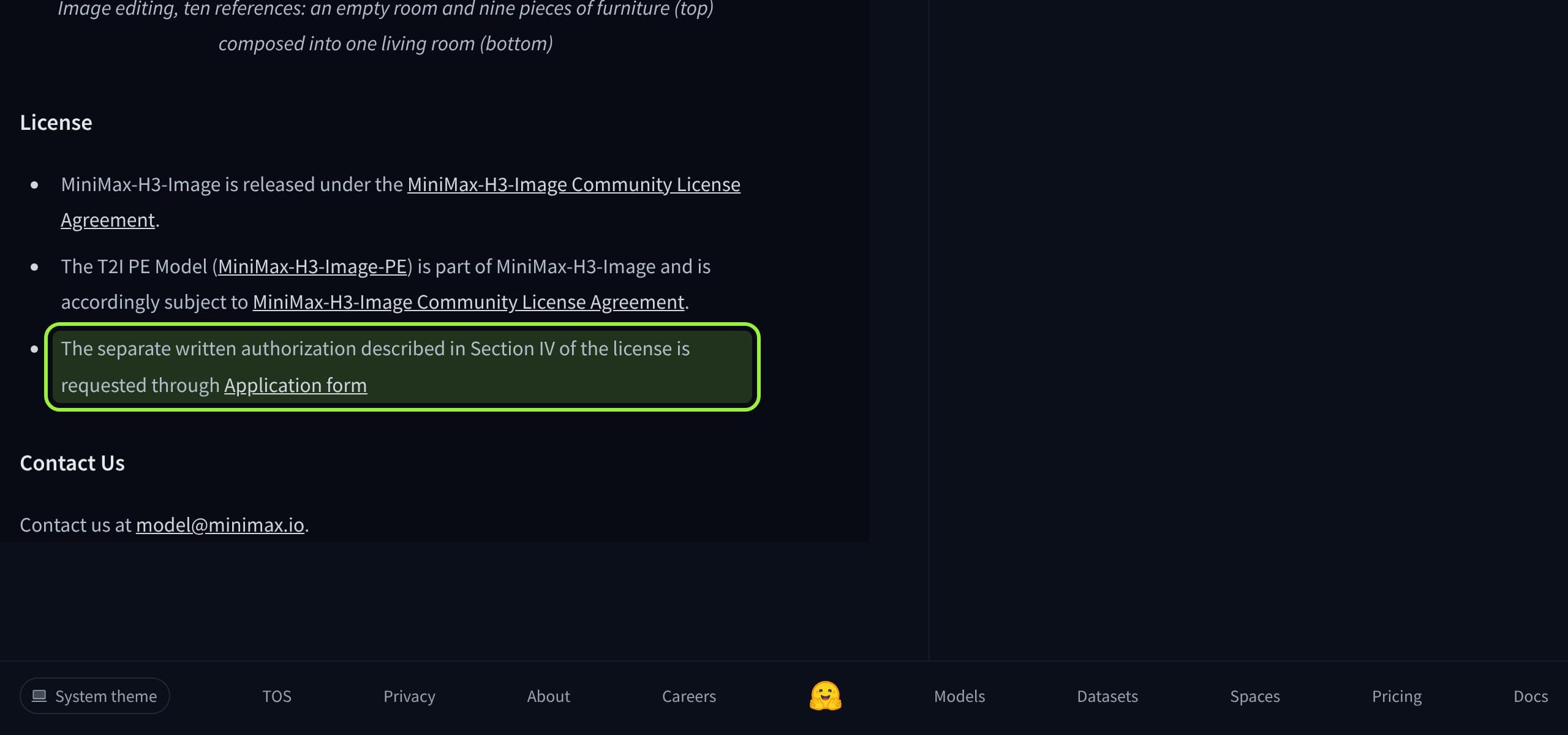
Most solo creators sit under both lines. An agency running several accounts, or anyone who lets clients generate through their own tool, should read Section IV before the first invoice. Three clauses are the same in both files and matter to a feed: a commercial product must show the model's name in its interface, outputs may not be used to improve any other AI model, and the acceptable use policy asks that machine-made content posted in public is disclosed as such.
A pinned Q&A on MiniMax's model page gives the reasoning: regulation for image and video models in those four regions is still moving, the hosted API stays available everywhere because MiniMax controls its safeguards, organizations in the excluded regions can apply for a license, and the limit means "not yet", not "not ever".
What you download: the text encoder is the bill
On disk the two diffusion files are close. Comfy-Org's H3 Image builds are 12.55 GB (W4A8), 20.98 GB (INT8) and 40.23 GB (BF16). Pruna's are 13.36, 21.21 and 40.47 GB. The gap opens at the text encoder. H3 Image reads the full Qwen3-VL-32B that H3 video uses: 15.69 GB in NVFP4 or 27.14 GB in INT8. P-H3-Image's encoder is 3.58 GB in W4A8 or 5.12 GB in INT8. Our download size study found the same pattern across models: the encoder is often half the download.
Stacks on disk, our sums from the file listings
- H3 Image, smallest
- About 29.4 GB: 12.55 GB W4A8 model, 15.69 GB NVFP4 text encoder, 1.17 GB VAE
- H3 Image, the files the Comfy docs list
- About 49.3 GB: 20.98 GB INT8 model, 27.14 GB INT8 text encoder, 1.17 GB VAE
- H3 Image prompt expander (optional)
- Add 7.34 GB for the Qwen3.5 9B build the templates use; off by default for text to image, on for edits
- P-H3-Image, smallest
- About 20.1 GB: 13.36 GB model, 3.58 GB text encoder, 3.15 GB VAE
- P-H3-Image, INT8 files
- About 29.5 GB: 21.21 GB model, 5.12 GB text encoder, 3.15 GB VAE; add 6.72 GB for its prompt upsampler
- If H3 video is already installed
- H3 Image adds only the diffusion file and the 1.17 GB VAE; the text encoder is the same file
Two notes on those numbers. The Comfy docs print the INT8 text encoder as 25.28 GB; the file listing shows 27.14 GB, which is the same file counted in binary gigabytes. And neither the H3 Image card nor the Comfy docs give a VRAM figure. The docs only say the text-to-image template opens at 4 MP so low-VRAM machines do not run out of memory, and tell you to lower the megapixels in the Resize Image/Mask node if an edit does. For P-H3-Image, Pruna gives a 21 GB peak at 8 MP for its 4-bit set.
One mistake to avoid: the 7.34 GB Qwen3.5 file is the prompt expander, not a lighter text encoder. Someone asked exactly that on the Comfy repo and was told the 32B encoder is required. MiniMax's own expander is a separate 17.9 GB model; the templates swap in the 9B build so it fits beside the diffusion model on one GPU.
Settings: there is almost nothing to tune
H3 Image is distilled to 6 sampling steps with no classifier-free guidance. The Comfy template uses euler, the simple scheduler, 6 steps and CFG 1, and there is no negative prompt, so anything you want to avoid goes into the prompt itself. The card says MiniMax's own server refuses other step counts and guidance values. P-H3-Image works the same way at 8 steps.
The setting that does matter is size. The H3 Image card gives a working range of about 4 to 20 MP and says results are generally best around 16 MP, while the Comfy template opens at 4 MP to protect small cards. So the default workflow starts at the bottom of the model's range. If your first pictures look flat, raise the megapixels before you judge the model. The docs list 16:9 as 5472 by 3072, so a vertical reel frame is 3072 by 5472, far more than a phone shows (exact sizes per model).
On speed, MiniMax's post says a 4096 by 4096 picture takes under 10 seconds and does not name the hardware. Pruna's post timed P-H3-Image at 5.8 seconds for 8 MP on a B200. Different sizes, different machines, different publishers: these two numbers do not compare, and nobody we found has timed both on one card.
Where each one loses
- H3 Image loses on download size. Starting from nothing it is about 9 GB more than P-H3-Image at the smallest builds, and about 20 GB more at INT8, all of it text encoder.
- H3 Image loses on the commercial line. 1 million USD with affiliates counted, and any hosted service, is a much lower bar than 20 million.
- H3 Image loses, so far, on faces in edits. Early reports on the Comfy repo say identity drifts from the reference and that the H3 video model at 1440p holds a person better. One commenter said the unofficial P-H3-Image gave better results. Nobody has measured it yet.
- H3 Image has no LoRA route yet. Only the distilled weights are published. A request for the raw weights is open on the model page; a reply suggested a training adapter may be enough. For H3 video the route exists (our 12 GB guide).
- P-H3-Image loses on resolution and references. 8 MP against 16 MP, nine input images against 16, and its card says faces and hands break more often at 2 and 4 MP.
- P-H3-Image loses on who stands behind it. It is a third-party distillation under MiniMax's older license. The vendor's own still model now exists, and community LoRAs and fixes tend to follow the vendor file.
- Both lose on access. The same four territories are excluded, which rules out most English-speaking creators for either one.
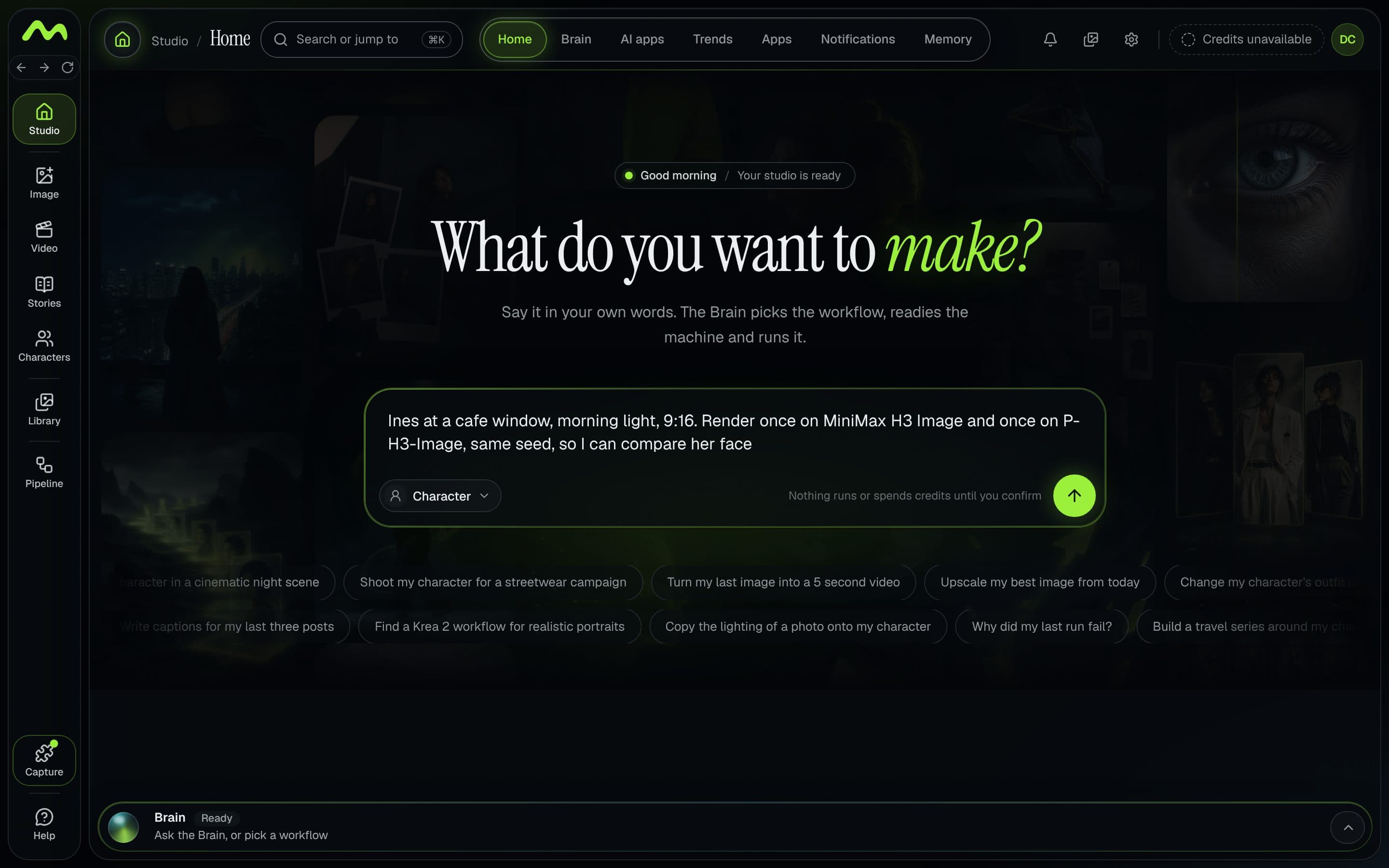
A test worth running yourself
- 1
Update first
H3 Image needs ComfyUI 0.45.0 and template pack 0.11.104. If the template is missing or a node is red, the build is too old. The H3 error guide covers the loader messages the shared text encoder can throw.
- 2
Fix the inputs
One character, one reference photo, one prompt, one seed, one aspect ratio. Write the prompt as a full description of the picture; both cards say short prompts hurt.
- 3
Render each at its own size
H3 Image at 6 steps and 16 MP, then again at the template's 4 MP. P-H3-Image at 8 steps and 8 MP. Do not compare a 4 MP H3 Image picture with an 8 MP P-H3-Image one and call it a result.
- 4
Run the edit test
Give each model the same reference of your character and ask for a new setting. This is where the day-one complaints are, so it is the test that decides.
- 5
Judge faces at 100 percent and time it
Eyes, jawline, skin. Write down seconds per image on your card and have a second person pick blind.
What creators are saying
One early tester called it fast but washed out and expected community work to improve it; another said that even at 16 MP it was lackluster next to the video model.
ComplaintComfy-Org/MiniMax-H3-Image discussion on Hugging Face
A user said edits do not keep the person from the reference, while H3 video at 1440p does; a reply said the unofficial P-H3-Image gave better results.
ComplaintComfy-Org/MiniMax-H3-Image discussion on Hugging Face
One person found photorealism far from Krea 2 at 4 to 16 MP and many step counts; another replied that the unchanged workflow gave them a good result.
ComplaintComfy-Org/MiniMax-H3-Image discussion on Hugging Face
Someone asked whether the small Qwen3.5 file can stand in for the huge text encoder. The answer: no, it is only the prompt expander; the 32B encoder from H3 video is required.
QuestionComfy-Org/MiniMax-H3-Image discussion on Hugging Face
A request asks MiniMax for the raw, undistilled weights for LoRA training; a reply thinks a good training adapter would be enough for LoRAs.
QuestionMiniMaxAI/MiniMax-H3-Image discussion on Hugging Face
A creator asked whether images made locally in a permitted country can be posted and monetized on Instagram or X, which the excluded regions can see, given Section V.4.
Verdict
For a recurring face, do not switch this week. H3 Image is the better specification: twice the pixels, two fewer steps, seven more reference slots, and the lab's own name on it. But a character feed lives on whether Tuesday's picture is the same person as Monday's, and the only evidence so far, a handful of first-day reports, says H3 Image edits drift. P-H3-Image has had a week of use, a smaller stack and a looser revenue line. If it is already in your graph, keep it there.
Try H3 Image now if you already have the H3 video text encoder on disk, since the test costs you one file, or if you need 16 MP stills. Run it at 16 MP, not at the template's 4 MP, before you decide. And if you are in the US, EU, UK or South Korea, the answer has not changed since the H3 review: the license does not cover you, and MOSS Image with a trained LoRA (our guide) is the route you can use.
We will revisit this once someone publishes a same-seed face test or MiniMax answers the open license questions. The first 12 GB timings and likeness reports are in our MiniMax H3 Image review. If you want to try either model on your own ComfyUI without rebuilding a graph, Musetta installs the nodes and models a workflow is missing and keeps each character's reference photos. We make it, so weigh that line accordingly.
Questions
- Is MiniMax H3 Image the same as P-H3-Image?
- No. MiniMax H3 Image is MiniMax's own still and edit model, released 10 November 2026: 6 steps, about 16 MP, the full Qwen3-VL-32B text encoder. P-H3-Image is Pruna AI's distillation of MiniMax H3 from 3 November: 8 steps, 8 MP, a much smaller text encoder.
- Can I use MiniMax H3 Image commercially?
- Only outside the EU, UK, South Korea and the US. Above 1 million USD annualized revenue, or if you host it for third parties, the license requires written authorization from MiniMax, and a commercial product must show "MiniMax-H3-Image" in its interface. This is not legal advice; read the license file.
- How much VRAM does MiniMax H3 Image need in ComfyUI?
- Neither the model card nor the Comfy docs give a figure. The smallest files sum to about 29.4 GB on disk (12.55 GB model, 15.69 GB text encoder, 1.17 GB VAE), and the template opens at 4 MP so smaller cards do not run out of memory.
- Which ComfyUI version does MiniMax H3 Image need?
- ComfyUI 0.45.0 or later with template pack 0.11.104 or later, according to the Comfy docs. The 0.45.0 release notes of 10 November list the support line. P-H3-Image needs 0.44.0.
- Can I train a character LoRA on MiniMax H3 Image?
- Not with a documented route yet. Only the 6-step distilled weights are published, and a request for raw weights was open on the model page on 11 November. H3 video has a working LoRA route today.
- What resolution should I use with MiniMax H3 Image?
- The model card says about 16 MP gives the best results, within a working range of about 4 to 20 MP. The ComfyUI text-to-image template starts at 4 MP, so raise it if your card allows.
Sources
- 01MiniMax-H3-Image model card · MiniMax, Hugging Face, 2026-11-10
- 02MiniMax-H3-Image Community License Agreement · MiniMax, Hugging Face, 2026-11-10
- 03MiniMax H3-Image: Bringing 4K Image Generation into the 10-Second Era · MiniMax, 2026-11-11
- 04MiniMax H3 Image is now available in ComfyUI · Comfy blog, 2026-11-10
- 05MiniMax-H3-Image: 16 MP text to image and image editing in ComfyUI · Comfy docs
- 06ComfyUI releases (v0.45.0, v0.44.0) · Comfy-Org, GitHub, 2026-11-10
- 07Comfy-Org/MiniMax-H3-Image file listing · Comfy-Org, Hugging Face
- 08PrunaAI/P-H3-Image-Comfy file listing · Pruna AI, Hugging Face
- 09P-H3-Image LICENSE (MiniMax H3 Community License Agreement) · Hugging Face, 2026-08-02
- 10P-H3-Image: Turning a SOTA Video Model into an Efficient Open Image Model · Pruna AI, 2026-11-03
- 11Q&A About the License · Hugging Face discussions, 2026-11-10
- 12Discussion: image edit consistency compared to MiniMax H3 · Hugging Face discussions, 2026-11-10
Researched and written by the Musetta editorial desk with AI assistance, from the sources above. Numbers come from those sources; nothing is benchmarked by us unless the article says so. Spotted an error? Tell us on Discord and we fix it.