In short
We summed the diffusion model, text encoder and VAE that Comfy lists for five open models on 19 October 2026. At bf16 the text encoder is 25% to 65% of the download, and in Qwen-Image 2.1 and MOSS-Image it is bigger than the image model. int8 builds cut each stack to 52% to 59% of bf16. Budget three files per model, store int8 by default.
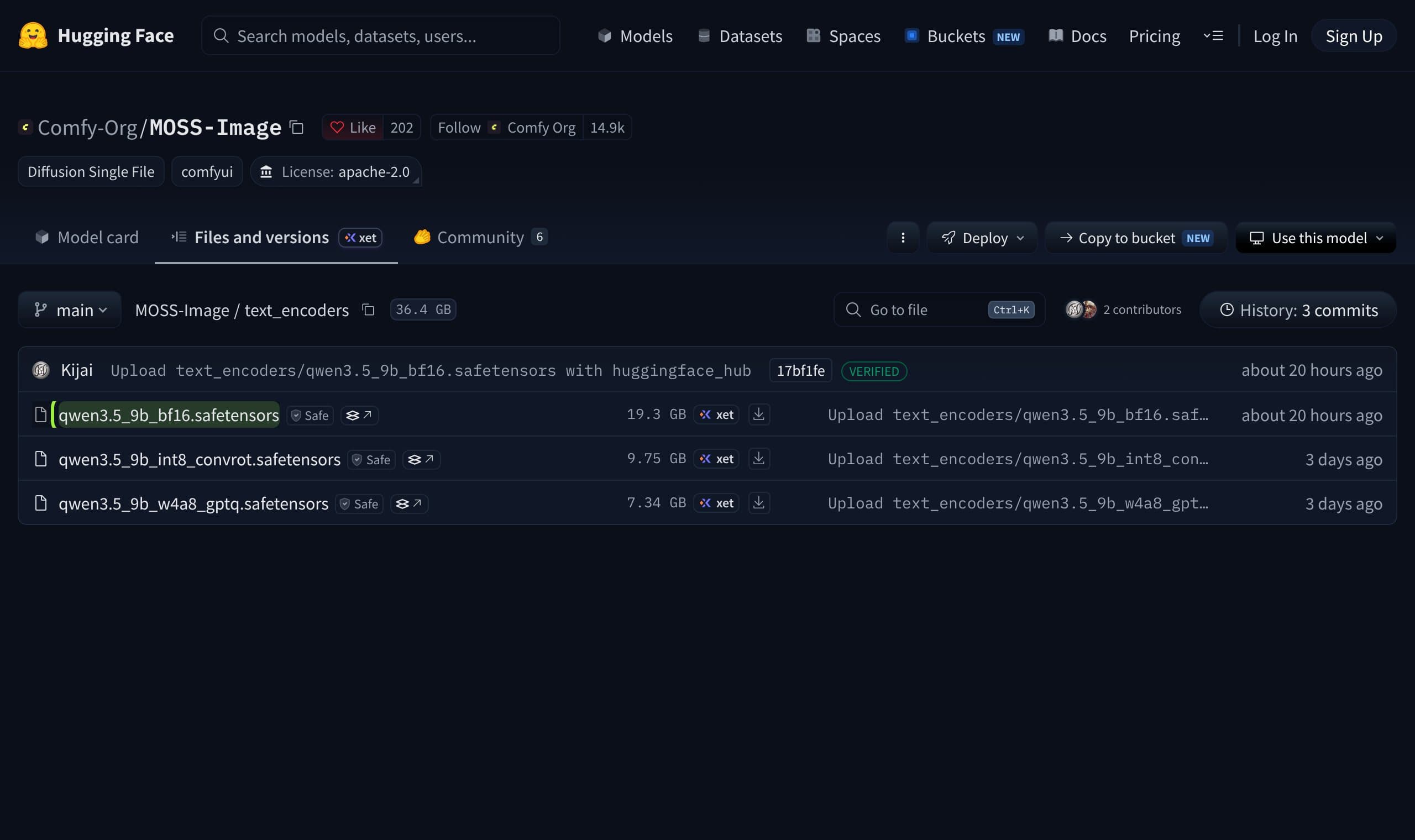
A character feed keeps two or three models on disk at once, and the number on a model card is the wrong one to budget with. On 19 October 2026 we added up the files ComfyUI actually loads for five current open models, read from Comfy-Org's Hugging Face repositories, and found that in two of them the text encoder is bigger than the image model itself: Qwen-Image 2.1 ships a 17.53 GB encoder next to a 14.23 GB image model, and MOSS-Image a 19.31 GB encoder next to a 10.16 GB one.
This is a measured data study, not a review. Every number below is a file size read from a public repository on one day, the arithmetic is shown, and the limits are listed at the end. Quality, speed and VRAM are a different question, and we say where we did not measure them.
What we measured and how
For each model we took the files Comfy's own repository tells you to put in models/: the diffusion model, the text encoder and the VAE. We summed them in decimal gigabytes (10^9 bytes) as the Hugging Face file listing reports them, and built three stacks per model. The bf16 stack is the full-precision diffusion file plus the full-precision encoder. The int8 stack swaps in the int8_convrot builds where Comfy lists them. The lightest stack takes the smallest diffusion file and the smallest encoder the repository lists.
Two choices are ours and you should know them. Z-Image Turbo has no int8 encoder in its repository, so its int8 stack uses the 5.63 GB fp8 encoder. MiniMax H3 is a video model with two VAEs, so its VAE column is the video VAE plus the audio VAE. LoRAs, control models and prompt-enhancer variants are left out of every stack.
The text encoder is the hidden half
Here are the bf16 stacks, file by file. The image model is the part people name, but it is not always the biggest part of the download.
Source: Comfy-Org repositories on Hugging Face, file sizes read 2026-10-19
The encoder share of the full-precision download is 54.0% for Qwen-Image 2.1, 64.8% for MOSS-Image, 38.9% for Z-Image Turbo, 41.7% for MiniMax H3 and 25.1% for Krea 2. Krea 2 is the one stack where the image model dominates, at 26.28 GB of a 35.41 GB total.
| Model | Image model | Text encoder | VAE | Total | Encoder share |
|---|---|---|---|---|---|
| Qwen-Image 2.1 | 14.23 | 17.53 | 0.68 | 32.44 | 54.0% |
| Krea 2 (Turbo or Raw) | 26.28 | 8.88 | 0.25 | 35.41 | 25.1% |
| MOSS-Image (Base or SFT) | 10.16 | 19.31 | 0.34 | 29.81 | 64.8% |
| Z-Image Turbo | 12.31 | 8.04 | 0.34 | 20.69 | 38.9% |
| MiniMax H3 (video) | 66.28 | 51.51 | 5.82 | 123.61 | 41.7% |
The filenames also show why you cannot save space by sharing. The five stacks load five different encoders: qwen3vl_8b, qwen3vl_4b, qwen3.5_9b, qwen_3_4b and qwen3vl_32b_minimax_h3. Krea 2 and Z-Image Turbo both use a roughly 4B encoder, but the files are different sizes (8.88 GB and 8.04 GB), so they are different files. Every model you add brings its own encoder.
Why the smallest image model is not the smallest download
MOSS-Image has the smallest image transformer in the set, 10.16 GB against Krea 2's 26.28 GB, which is 2.6 times smaller. Its full stack is only 1.19 times smaller (29.81 GB against 35.41 GB), because the 19.31 GB encoder takes back almost all of the difference. If you pick a model by its parameter count or the size of its main file, you will misjudge your disk.
The same pattern is why a model that looks light can be slow to start: the encoder has to be read from disk and moved before the first image. Our earlier piece on ComfyUI out of memory errors covers what happens when the loader and the card disagree about what fits.
What 8-bit and 4-bit builds do to the bill
Comfy lists int8_convrot builds for every model in the study. They roughly halve each file, so every stack lands between 52% and 59% of its bf16 size. The lightest listed combination goes further, down to 8.33 GB for Z-Image Turbo and 12.78 GB for Krea 2.
Source: Comfy-Org repositories on Hugging Face, file sizes read 2026-10-19
| Model | bf16 | int8 | Lightest listed | int8 as share of bf16 | License named |
|---|---|---|---|---|---|
| Qwen-Image 2.1 | 32.44 | 17.29 | 14.25 | 53% | qwen-research |
| Krea 2 | 35.41 | 18.60 | 12.78 | 53% | Krea 2 Community License |
| MOSS-Image | 29.81 | 15.50 | 13.09 | 52% | Apache-2.0 |
| Z-Image Turbo | 20.69 | 12.17 | 8.33 | 59% | Apache-2.0 |
| MiniMax H3 (video) | 123.61 | 64.60 | 35.09 | 52% | minimax-h3-community-license-agreement |
Format also changes speed, not only size. A tester running Krea 2 Turbo on one RTX 3090 measured 10.2 seconds per image with the int8 build and 18.2 seconds with fp8, 1.78 times faster, at 8 steps. That is one rig and one author, so treat it as a lead to check, not a rule. It is in the test's public README, which also reports checkpoint sizes of 12.6 GB for int8 and 12.2 GB for fp8.
What creators are saying
Someone asked what VRAM Krea 2 Turbo needs for an HD image. The first answer was about 16 GB, estimated from the weight size, with FP8 or GGUF needed for anything smaller.
QuestionHugging Face discussion on krea/Krea-2-Turbo, June 2026
One user ran a roughly 10 GB FP8 or GGUF build on a 6 GB laptop card, slow but usable, and credited ComfyUI's RAM swapping for it.
PraiseHugging Face discussion on krea/Krea-2-Turbo, June to July 2026
On an 8 GB card at 1024 by 1024 another user kept hitting out-of-memory errors until they rebuilt their Docker image with CUDA 12.6.3 and turned on Dynamic VRAM.
ComplaintHugging Face discussion on krea/Krea-2-Turbo, June 2026
Another suggested 8 GB of VRAM plus 24 GB of system RAM as a floor when Dynamic VRAM is on, so the model can spill into memory.
The thread agrees with the table on one thing: the answer to "what do I need" depends on which build you load, and people on small cards got there by choosing a smaller file and letting ComfyUI use system RAM. Note that the thread is from June and about one model.
What a whole library costs
Disk is the budget people forget until a drive fills. Add up the four image models and then the video model and the choice of precision matters more than the choice of model.
Library cheat-sheet, GB on disk (our sums)
- Four image models, bf16
- 118.35
- Four image models, int8
- 63.56
- Four image models, lightest listed
- 48.45
- Add MiniMax H3, bf16
- +123.61 (library 241.96)
- Add MiniMax H3, int8
- +64.60 (library 128.16)
- Add MiniMax H3, lightest listed
- +35.09 (library 83.54)
- MOSS-Image templates need
- ComfyUI 0.41.3 or later (Comfy docs)
Our verdict for a character feed
Our recommendation is to store int8 by default and keep full precision for the one model you finish with. Pick one image model and one video model as the working pair, because the study shows each extra model brings its own encoder and none of it is shared. The Comfy docs for MOSS-Image make the same split: the templates load the int8 files, and the bf16 builds are there "for more VRAM".
On disk alone Z-Image Turbo is the cheapest stack in the set (20.69 GB at bf16, 12.17 GB at int8). That says nothing about whether it keeps a face, and for that you need a test, not a file listing. Our comparison of Krea 2 and Qwen-Image 2.1 tested identity, and the explainer on distilled and base checkpoints says when a fast build is enough for drafts. For video, the sizes above explain why the MiniMax H3 review and the LTX-2.5 image-to-video guide both start with what fits.
- 1
Choose the working pair
One image model and one video model for the month. Everything else is a download you can postpone.
- 2
Download int8 first
Take the
int8_convrotdiffusion file and the matching encoder. Keep the bf16 files off disk until a result needs them. - 3
Count three files, not one
Diffusion model, text encoder, VAE. If a model page names only the first, look in the repository for the other two.
- 4
Check the format against your card
4-bit builds such as
nvfp4andw4a8are the smallest but we did not test them. Try one on a draft before you delete the bigger file. - 5
Rent before you buy storage
If the library will not fit, a rented GPU keeps the models off your own drive.
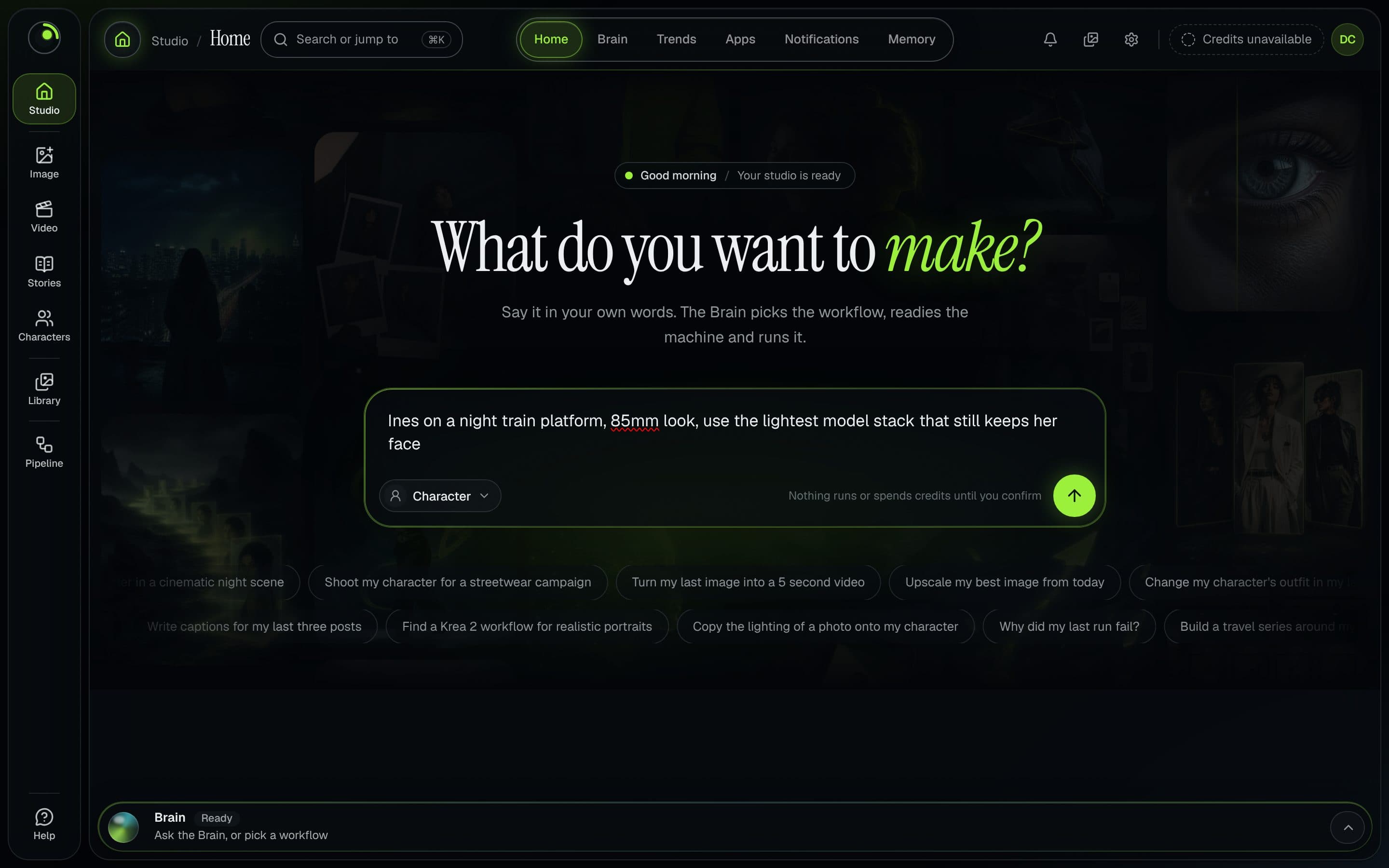
If you run your own ComfyUI, the studio is built for this: Musetta installs what a workflow is missing and keeps each character's reference photos, so switching to a lighter stack does not change who your character is. The study holds without it, and our comparison with working in ComfyUI directly says where the manual route is enough. For the files a workflow cannot find, the missing nodes guide is the place to start.
Limits of this study
- File size is not VRAM. ComfyUI can offload and unload parts of a stack, so a 32 GB download does not need 32 GB of VRAM; see the out-of-memory article above.
- One day, one source. Sizes were read from the Hugging Face file listing on 19 October 2026 and repositories change; MOSS-Image's bf16 encoder was uploaded about 20 hours before our reading.
- Comfy-Org's repackaged files only. Community GGUF and other quantizations, which some guides recommend for small cards, are not in the study.
- Quality and speed were not measured by us. The one speed figure is a third party's single-GPU test.
- Licenses are as named on the repositories. Qwen-Image 2.1 reads "qwen-research" on the Comfy-Org page and the Krea 2 card names the Krea 2 Community License without stating terms on the page we read. Read the full text before you monetize.
Questions
- How big is a ComfyUI model download?
- It is three files, not one. On 19 October 2026 the bf16 stacks Comfy lists were 20.69 GB for Z-Image Turbo, 29.81 GB for MOSS-Image, 32.44 GB for Qwen-Image 2.1, 35.41 GB for Krea 2 and 123.61 GB for the MiniMax H3 video model. The int8 builds are 12.17 to 17.29 GB for the image models.
- Is the text encoder really bigger than the image model?
- In two of five stacks, yes. Qwen-Image 2.1 has a 17.53 GB encoder against a 14.23 GB image model, and MOSS-Image has 19.31 GB against 10.16 GB. In Krea 2 the image model is the larger part, 26.28 GB against 8.88 GB.
- Does a smaller file need less VRAM?
- Not in a simple way. File size shows what you store. ComfyUI can offload parts of a model, and the loader decides what stays on the card. Our measurements are bytes on disk, not memory use, so test a stack on your own card.
- Can two models share one text encoder?
- Not the five we checked. Their repositories list five different encoder files, including two of about 4B size from Krea 2 and Z-Image Turbo that differ in size, 8.88 GB and 8.04 GB. Each model you add brings its own encoder.
- Should I use int8 or bf16?
- For storage, int8 roughly halves every stack, to 52% to 59% of bf16 in our data. We did not test image quality. A practical split is int8 for drafts and everyday work, with bf16 kept only for the model you finalize with.
Sources
- 01Comfy-Org/Qwen-Image-2.1 file listing · Comfy Org, Hugging Face, 2026-10-19
- 02Comfy-Org/Krea-2 file listing · Comfy Org, Hugging Face, 2026-10-19
- 03Comfy-Org/MOSS-Image text_encoders listing · Comfy Org, Hugging Face, 2026-10-19
- 04Comfy-Org/MOSS-Image file listing · Comfy Org, Hugging Face, 2026-10-19
- 05Comfy-Org/z_image_turbo file listing · Comfy Org, Hugging Face, 2026-10-19
- 06Comfy-Org/MiniMax-H3 file listing · Comfy Org, Hugging Face, 2026-10-19
- 07MOSS-Image in ComfyUI: Text-to-Image and Layout Workflows · Comfy documentation, 2026-10-19
- 08krea/Krea-2-Turbo model card · Krea, Hugging Face, 2026-10-19
- 09Krea-2-Turbo discussion: VRAM · Hugging Face community, 2026-07
- 10Krea 2 Turbo vs Qwen-Image-2.1 on one RTX 3090 · Cybertiron, GitHub, 2026-10
Researched and written by the Musetta editorial desk with AI assistance, from the sources above. Numbers come from those sources; nothing is benchmarked by us unless the article says so. Spotted an error? Tell us on Discord and we fix it.