In short
For a recurring character, pick the LoRA trainer by which model your face runs on. AI Toolkit (MIT) is the only one we found whose README lists Krea 2, MOSS-Image and Qwen-Image 2.1 together. Musubi Tuner trained Krea 2 on a 12 GB card where AI Toolkit ran out of memory. OneTrainer lists neither Krea 2 nor MOSS-Image.
A character LoRA is the step that decides whether she looks the same in month three as in week one, and the tool you train it with decides which models you can train on at all. AI Toolkit's README lists Krea 2, MOSS-Image and Qwen-Image 2.1. OneTrainer's lists none of the three. That gap matters more than any speed claim.
This list ranks six ways to train a character LoRA for a recurring face. We have not run a benchmark of our own. Specs, licenses and model lists come from each project's README as we read it on October 23, 2026, and the experience reports come from public posts and one GitHub issue, linked in the sources. Where a page says nothing, the article says so.
How we ranked them
- Model support first. Does the README name the model your character runs on today? A trainer that lacks it is not a candidate, however good it is.
- License. The code license of the trainer, not of the base model. Both matter, and the base model's terms follow the LoRA.
- Memory. What people report on 12 GB and 16 GB cards, and what the project itself recommends.
- Interface. A web UI or GUI for a creator, a command line for someone who scripts.
- Failure reports. What actually broke for people, with dates. Our guide to training a character LoRA covers the dataset side that every tool shares.
The ranking
- 1
AI Toolkit (Ostris)
The default for a creator who wants a web UI and the newest models. It is the only trainer whose README names Krea 2, MOSS-Image and Qwen-Image 2.1. Its weak spot is memory on small cards.
Best for: Character LoRAs on Krea 2, MOSS-Image or Qwen-Image 2.1 when you have a 24 GB card or a rented GPU
- MIT license
- README lists Krea-2-Raw and Turbo, MOSS-Image SFT and Base, Qwen-Image 2.1 and 2.1 Turbo, FLUX.2 dev, Z-Image, Wan 2.2 and LTX-2.5
- A web UI to start, stop and watch jobs, at localhost:8675 (needs Node.js above 20)
- A job queue, and the jobs run without the UI open
- Two 12 GB testers report it ran out of memory or needed heavy CPU offloading, where Musubi Tuner did not
- A Krea 2 Turbo crash with layer offloading and qfloat8 on a 16 GB card was closed by an inactivity bot on October 21 with no maintainer reply
- The README gives no VRAM table; its example config is named for 24 GB
- 2
Musubi Tuner (kohya-ss)
The one that fits on a small card. Command line only, but it trained a Krea 2 character on 12 GB in a public report, and it was updated three times in September. It does not name MOSS-Image.
Best for: 12 to 16 GB cards, Krea 2 and MiniMax H3, and anyone who is fine with a terminal
- Mostly Apache 2.0, with some folders under upstream licenses
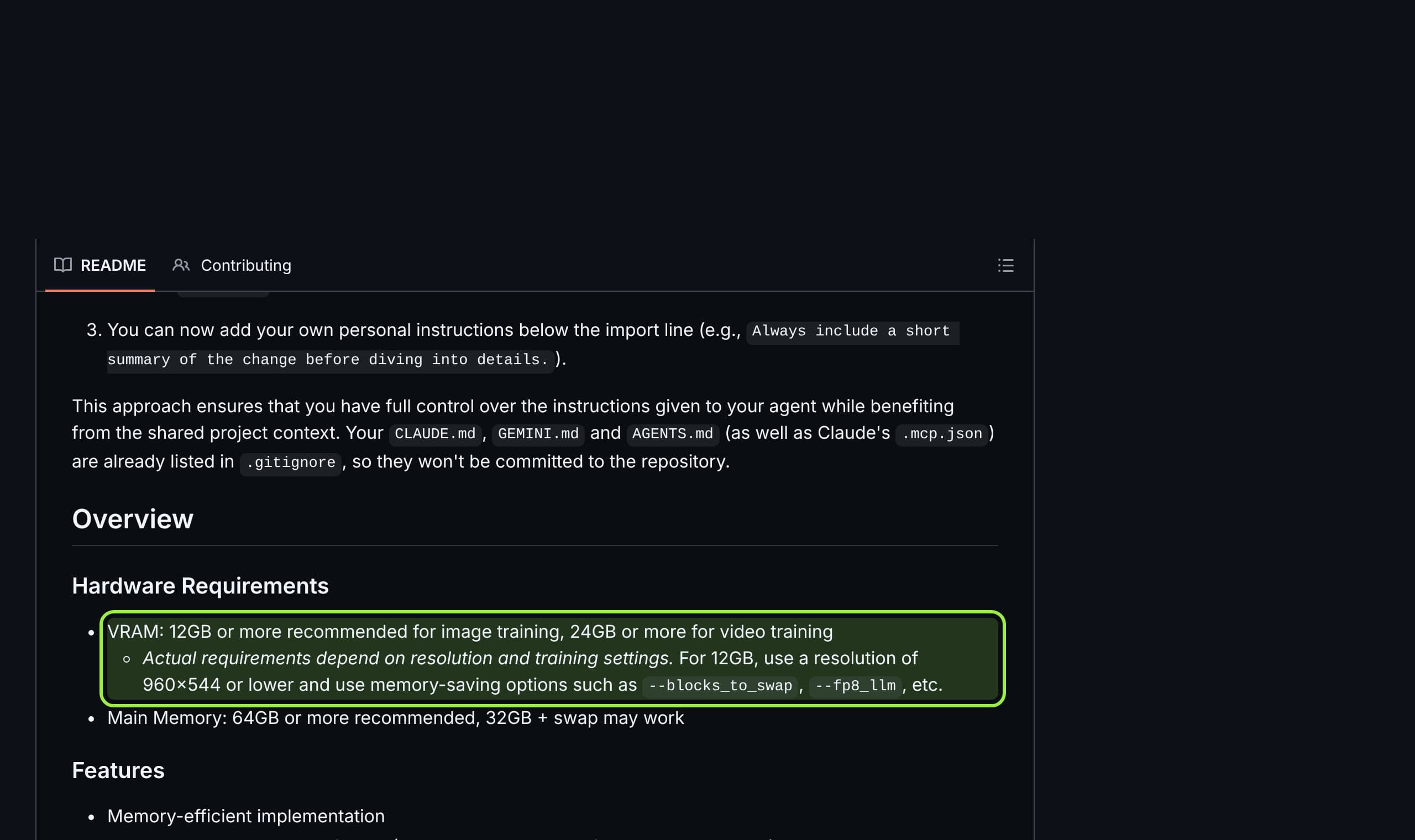
- README recommends 12 GB or more for image training and shows block swapping and fp8 options for it
- Krea 2 has its own documentation, including a ConvRot int8 option added September 16
- Also lists FLUX.2, Qwen-Image, Z-Image, Wan 2.2 and experimental MiniMax H3
- No GUI, and it recommends 64 GB of system RAM (32 GB plus swap may work)
- MOSS-Image and LTX are not mentioned in the README
- Block swapping trades memory for hours
- 3
DaSiWa TrainFlow
A friendly face on Musubi Tuner and sd-scripts, with a Krea 2 profile. The best way into Krea 2 for someone who does not want a terminal, from a very young project.
Best for: Krea 2 character or style LoRAs on a Windows machine with an NVIDIA card
- MIT license
- One portable binary with a web UI at 127.0.0.1:7860 and a runtime tool that installs dependencies and downloads models
- Auto Calc suggests settings from dataset size and VRAM
- Krea 2 profile with fp8 base weights and block swap
- The repository shows no published release or version number
- Krea 2 is LoRA only, and one tester saw rank and alpha revert to 16 twice
- Covers Anima, SDXL, LTX 2.3, Wan 2.2 and Krea 2, not MOSS-Image or Qwen-Image
- 4
kohya sd-scripts
The veteran, now with MOSS-Image. If your character lives on SDXL or Illustrious or you train on MOSS-Image from a script, it is current and fast-moving. It does not list Krea 2.
Best for: SDXL and Illustrious characters, and MOSS-Image LoRAs run from the command line
- Majority Apache 2.0
- README lists SDXL, SD3.5, FLUX.1, Anima and MOSS-Image, with a ConvRot int8 option for MOSS-Image
- Version 0.12.2 dated October 20, 2026
- H2D-only block swap for LoRA training in the latest release
- Command line, set up with venv, pip and accelerate
- Krea 2 and Qwen-Image are not in the model list we read
- No VRAM figures in the README
- 5
OneTrainer
The most complete desktop tool for dataset work, and the one to use for SDXL, FLUX or Qwen Image. It lists neither Krea 2 nor MOSS-Image, so it sits out the newest models.
Best for: Dataset preparation with masks and captions, and Qwen Image, FLUX.2 and Z-Image characters
- GUI and command line
- Masked training with ClipSeg or Rembg masks, and automatic captioning with BLIP, BLIP2 and WD-1.4
- Lists Qwen Image, FLUX.1, FLUX.2 dev and Klein, Z-Image, Chroma, SDXL and the Stable Diffusion line
- One blog test reports sharper faces with the Prodigy_Adv optimizer
- AGPL-3.0, which matters if you build a service on it
- Krea 2 and MOSS-Image are not in its model list
- The speed and likeness claims in the one comparison we found name no GPU and no method
- 6
Hosted trainers (Civitai and Krea)
The no-install option. Civitai's trainer is pay-per-run and lets you download epochs, but the page we read lists neither Krea 2 nor MOSS-Image. Krea's own trainer is in beta for paid plans and shows no download.
Best for: A first LoRA with no GPU, or a model whose trainer you cannot get running
- No local setup, no memory limits to fight
- Civitai: from 500 Buzz for SD 1.5 and SDXL, shows the exact price before you submit, and lets you download any epoch
- Krea: trains Krea 2 Medium or Large from at least three images, auto-captions, and keeps LoRAs private by default
- Civitai's page was last updated April 1, 2026 and says it is only partly current; Flux and newer models cost more, with no prices listed
- Civitai epoch files for models left in Ready status are deleted after 30 days
- Krea's announcement is dated May 21, 2026, covers Max and Business subscribers, and says nothing about using the LoRA outside Krea's tools
SimpleTuner also deserves a mention. Its README lists about 40 model families, including FLUX, Qwen Image, Wan and LTX, under AGPL-3.0, and says most models train on a 24 GB card. We did not confirm Krea 2 or MOSS-Image in it, so it stays off the ranking.
Side by side
| Trainer | License | Interface | Krea 2 | MOSS-Image | Qwen-Image |
|---|---|---|---|---|---|
| AI Toolkit | MIT | Web UI | Listed | Listed | 2.1 and 2.1 Turbo listed |
| Musubi Tuner | Apache 2.0 (mostly) | Command line | Documented | Not listed | Listed |
| DaSiWa TrainFlow | MIT | Web UI in one binary | Profile, LoRA only | Not listed | Not listed |
| sd-scripts | Apache 2.0 (mostly) | Command line | Not listed | Listed | Not listed |
| OneTrainer | AGPL-3.0 | GUI and command line | Not listed | Not listed | Listed |
| Civitai trainer | Hosted, paid in Buzz | Web | Not listed | Not listed | Listed |
What a run costs in hours
Nobody publishes a fair benchmark across these tools, so here are the four public runs we could verify, each from a different person, model and card. Read them as order of magnitude, not as a comparison: the datasets, resolutions and step counts differ.
Reported runs, as published
- Krea 2 Raw, TrainFlow, RTX 3090 (24 GB)
- 41 images, rank 32, 1024 px, 2829 steps in 10 h 3 min; the author preferred checkpoint 1600
- Krea 2, Musubi Tuner, RTX 4070 (12 GB)
- 20 images, rank 32, text says about 2 hours; the shown command says 4000 steps, so the figure is loose
- Qwen Image 2.1, AI Toolkit, RTX 4070 (12 GB)
- 31 images, rank 16, 1024 px, 2000 steps in about 3 h 30 min, heavy CPU offloading
- MiniMax H3, AI Toolkit, RTX 4070 (12 GB)
- 32 images at 512 px, rank 16, 1000 steps, 6 to 7 hours per run
What creators are saying
What creators are saying
A Krea 2 style LoRA on a 3090 peaked at checkpoint 1600 of 2829. Later ones got blurrier and greyer, so save often and test the middle, not the last file.
On a 12 GB card AI Toolkit ran out of memory just before training started, while Musubi Tuner finished a Krea 2 character LoRA. Train on Raw, generate with Turbo.
Complaintnote.com, Krea 2 on 12 GB, Jun 28
A Qwen Image 2.1 character LoRA from 31 images took about three and a half hours on 12 GB, and the likeness came out only loosely similar.
Training Krea 2 Turbo with layer offloading and qfloat8 on a 16 GB card crashed in the backward pass. Workarounds helped partly, and no fix came before the issue was closed for inactivity.
Complaintai-toolkit issue 954
A first MiniMax H3 LoRA from mixed full-body and outfit images barely changed anything. A second from 31 close-up faces improved the likeness noticeably.
Three of the five reports are about memory, and one ends with the author switching trainer. The pattern is consistent: on 12 to 16 GB the tool matters, and on 24 GB it mostly does not.
Five habits every report shares
- 1
Train on the base, generate on the fast one
One Krea 2 author trains on Raw and generates with Turbo, and the 3090 guide also trains on Raw. Check that your trainer saves a LoRA ComfyUI can load for the model you will run.
- 2
Use close-ups of the face first
The MiniMax H3 author's second run, 31 face close-ups with a short caption, beat the first run on mixed images. Keep outfits and places for a later, second pass.
- 3
Save a checkpoint every 200 to 250 steps
The 3090 run saved every 200 steps and still chose number 1600 of 2829. Without saves you only get the overtrained file.
- 4
Run a one-step smoke test
The Krea 2 12 GB guide ran 256 px and one step before the real run. It costs a minute and catches broken paths and out-of-memory errors early.
- 5
Rent when the card is too small
A 10-hour run on a 3090 or a 7-hour run on 12 GB is a day of your machine. A rented card moves that day off your machine.
Our verdict
Start with AI Toolkit if your card has 24 GB or you rent one. It names the most current models and its UI is the gentlest. Use Musubi Tuner if you have 12 to 16 GB and the model is Krea 2, and add TrainFlow if you want a window instead of a terminal. Use sd-scripts for MOSS-Image from a script or for SDXL, and OneTrainer when the work is mostly dataset prep on a model it lists.
What we would not do is choose by a speed claim. The only head-to-head we found, a March post about Z-Image, names no GPU and no method, and the newest models did not exist when it was written. Pick the model for the face first, then the trainer that names it, as our MOSS-Image review and three-way comparison argue for checkpoints.
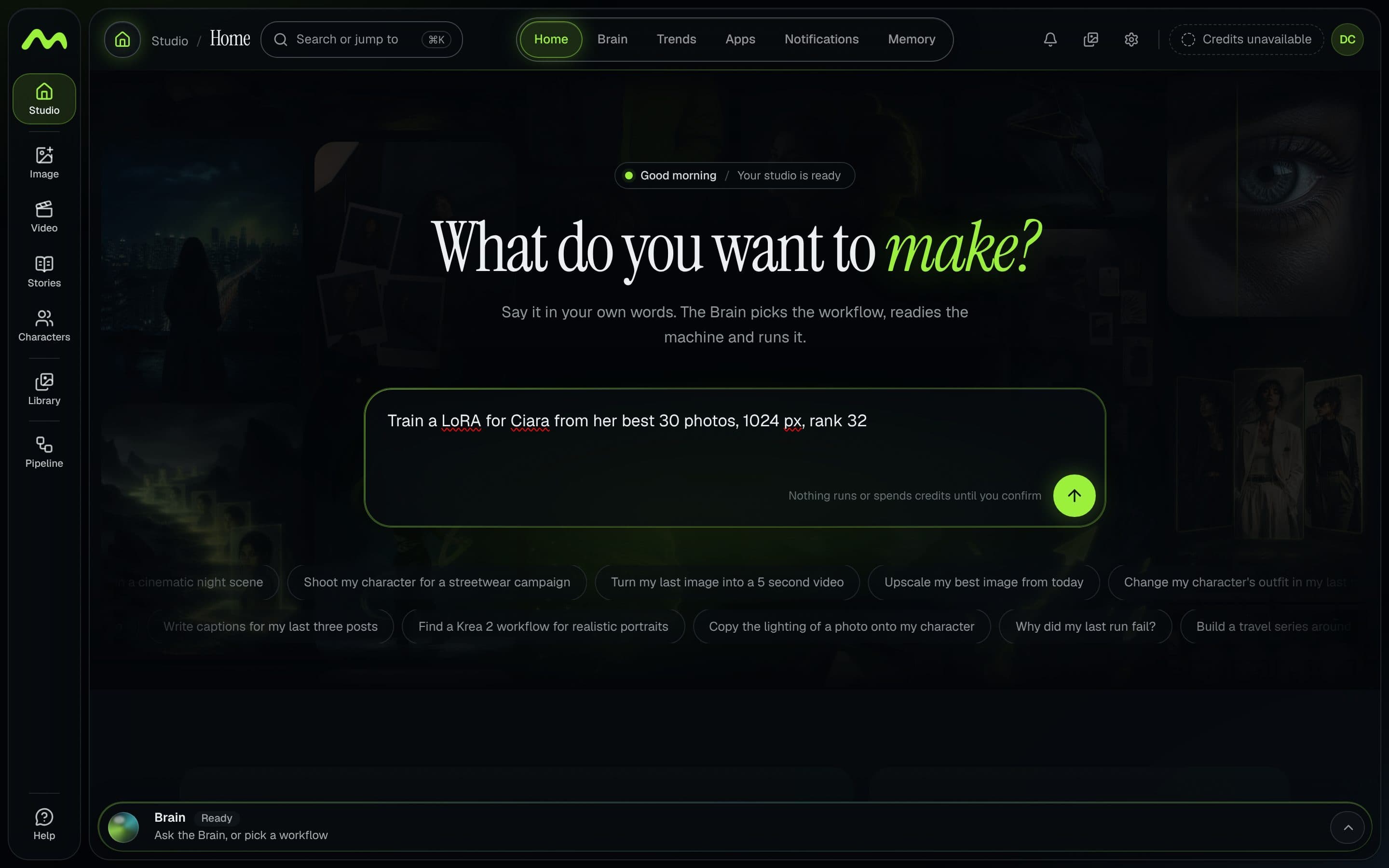
Musetta does not replace any of these trainers. It runs on your own ComfyUI, keeps your character's reference photos in one place, and when your card is too small it can prepare a rented GPU and connect to it, as described in renting a GPU. See how it works, or the guide to a consistent character set for what goes into the dataset.
Questions
- What is the best tool to train a character LoRA in 2026?
- It depends on the model. AI Toolkit is the only trainer whose README lists Krea 2, MOSS-Image and Qwen-Image 2.1, and it has a web UI. Musubi Tuner is the better fit for 12 to 16 GB cards. sd-scripts lists MOSS-Image, and OneTrainer lists Qwen Image but neither Krea 2 nor MOSS-Image.
- Can I train a character LoRA on a 12 GB GPU?
- Yes, in public reports, with trade-offs. A Krea 2 character LoRA trained on a 12 GB RTX 4070 with Musubi Tuner, and a Qwen Image 2.1 one with AI Toolkit took about three and a half hours using heavy CPU offloading. The Musubi README recommends 12 GB or more and 64 GB of system RAM.
- AI Toolkit or OneTrainer: which is better for faces?
- One March 2026 post about Z-Image says OneTrainer gave sharper faces and AI Toolkit steadier bodies, but it names no GPU or method. OneTrainer's README does not list Krea 2 or MOSS-Image, so for those models the question does not arise. Test both on your own dataset if the model allows.
- Are these LoRA trainers free for commercial use?
- The trainers' code is open source: AI Toolkit and DaSiWa TrainFlow are MIT, Musubi Tuner and sd-scripts are mostly Apache 2.0, and OneTrainer and SimpleTuner are AGPL-3.0. That is the tool, not your output. The base model's license decides what you may do with the LoRA, so read it per checkpoint.
- How many images do I need for a character LoRA?
- The reports we cite used 20 to 41 images. Krea's hosted trainer asks for at least three. Our guide suggests 20 to 40 varied, face-correct images. Quality and variety matter more than count, and close-ups of the face worked better than mixed shots in one run.
Sources
- 01AI Toolkit README (Ostris) · GitHub, 2026-10-23
- 02Musubi Tuner README (kohya-ss) · GitHub, 2026-10-23
- 03kohya sd-scripts README · GitHub, 2026-10-23
- 04OneTrainer README · GitHub, 2026-10-23
- 05DaSiWa TrainFlow README · GitHub, 2026-10-23
- 06SimpleTuner README · GitHub, 2026-10-23
- 07Krea 2 LoRA training is now available · Krea, 2026-05-21
- 08Civitai's LoRA Trainer · Civitai Education, 2026-04-01
- 09How to train Krea 2 LoRAs locally with DaSiWa TrainFlow · Tech Tactician, 2026-10-12
- 10Krea2 character LoRA on 12 GB with musubi-tuner · note.com, 2026-06-28
- 11Qwen Image 2.1 character LoRA on 12 GB with ai-toolkit · note.com, 2026-09-22
- 12MiniMax H3 character LoRA on 12 GB with ai-toolkit · note.com
- 13ai-toolkit issue 954: Krea2 layer offloading with qfloat8 · GitHub issues, 2026-07-16
- 14AI Toolkit vs OneTrainer: Z-Image LoRA Training 2026 · NeuroCanvas, 2026-03-10
Researched and written by the Musetta editorial desk with AI assistance, from the sources above. Numbers come from those sources; nothing is benchmarked by us unless the article says so. Spotted an error? Tell us on Discord and we fix it.